Es ist wieder einmal Zeit für einen neuen Screencast. Dieses Mal wird gezeigt wie mit der, in Version 2.67 von Blender neuen Funktion Freestyle ein Blueprint erzeugt wird. Eine kleine Rolle hat auch Inkscape gespielt. Also viel Spaß beim Nachmachen und wer dafür das kleine Flugzeug benötigt, findet es hier zum Download.
June 17, 2013
I just updated the repo for the inkscape trunk builds for fedora. See my previous post here for details on initially setting this repo up. If you have already set the repo up, this updated package provides inkscape trunk revision 12379, with the following changes since the previous build (rev 12353)
[12379] Fix layer selection so defs don't change layers, updated
symbol text.
[12378] Fix for 1184408 : Additional zoom levels in zoom context menu
[12377] Revert Fix for 600285 : Zoom slider
[12376] Improve icons for symbols dialog
[12375] Fix crash for external symbol documents, should never select
these items.
[12374] Big change in symbols ui and selection chemistry.
[12373] Allow svg elements to be ungrouped
[12372] Do not allow markers for children of markers (prevent loop)
[12371] Use fixed inkscape icon for 'no-marker' instead of gtk theme icon
[12370] Fix Apache2 license conflict with GPL with re-license from
SOIX upstream
[12369] Use 'remove' instead of 'gtk-remove' for theme.
[12368] Restore the old behavior of autogen.sh (do not automatically
run configure).
[12367] Change back to using NULL and fix windows theme error by checking
[12366] Fix bug where symbols weren't identified as such
[12365] extensions. hpgl input. new import routine by TimeWaster
[12364] Fix new bug with No-Marker having no icon, use Stock GTK::Remove icon
for No-Marker.
[12363] Change marker layout in stroke-widget so they are all on one line.
[12362] use visual bbox in calculation of filter area (Bug 1188336)
[12361] Remove use of separate array for scale values.
[12360] Replace multiple copies of GTK2/GTK3 #ifdef code with single helper
function.
[12359] Refactor --export-pdf-version detection. If the user try to export the
pdf and ps versions at one run, the sp_export_pdf detection would fail.
A better approach (this commit) is to check the mime argument.
[12358] C++ conversion of parallel arrays to vector of class instances.
[12357] Check for value in range before dereferencing.
[12356] Glibmm 2.32+ fix extended to optional components. Fixes bug #1179338.
[12355] Adding inclusion of config.h where needed for threads.h check
[12354] Warning cleanup.June 16, 2013
En la lista de correo del SFD, el anuncio de que el registro para el SFD 2013 se ha abierto ha sido publicado. En la wiki se encuentra el contenido en cada idioma como de costumbre. Como siempre, cualquier duda podrá ser contestada por email o en el canal de IRC en freenode #sfd-discuss o @SFD.

El límite para registrar equipos y recibir regalos es el 21 de Julio, lo que nos daría tiempo suficiente para enviar todo a cualquier parte del mundo. Simplemente creen la página de su equipo en http://wiki.softwarefreedomday.org/2013 (/pais/ciudad/equipo usualmente) y complete la planilla en http://www.softwarefreedomday.org/cgi-bin/register.py . Toda la información y otros enlaces de interés los conseguirá en la web del SFD.
Como de costumbre, todo el arte está disponible en http://wiki.softwarefreedomday.org/Artwork bajo licencia CC-BY. Sientete libre de utilizarlo, mejorarlo e incluso traducirlo.
Los patrocinadores de este año son Canonical, Google, y Linode. Así que comencemos a preparar la celebración del SFD! por mi parte estoy abierta a invitaciones y feliz de ir a compartir el SFD en cualquier parte! a ver, quien se anima!
Ganadores del SFD 2011 para inspirarte: http://www.softwarefreedomday.org/en/competition/winners-2011
June 15, 2013
Vor einigen Tagen bin ich auf ein kleines Programm aufmerksam geworden – Knotter. Mit diesem in QT implementierten Programm kann man im Handumdrehen keltische Knoten oder islamische Flechtwerke erstellen. Mit Inkscape geht das zwar auch, ist aber wesentlich aufwendiger. Die Erweiterung für Knotenmuster trennt nur an den Überlappungen die jeweiligen Pfade auf, um Knoten darzustellen.
Knotter läßt sich relativ leicht und intuitiv bedienen, es gibt nicht allzu viele Optionen. Vielleicht ist auch genau das, dass Geheimnis das Programm läßt sich wirklich einfach bedienen.
Ein Gitter an dem die gesetzten Knotenpunkte einrasten erleichtert die Arbeit, bei Bedarf kann man es auch abschalten. Wer nichtvon Beginn an, Knoten setzen möchte, der kann eines der mitgelieferten Plugins benutzen. Mit Hilfe dieser kann man sich ein Gitter, Polygone oder sogar Schriftrendern lassen. Bei Bedarf lassen sich eigene Plugins in JSON erstellen und Knotter damit erweitern. Dabei wird in 3 verschiedenen Arten von Scripten unterschieden. Es gibt Scripts zum Ändern der Spitzen (cusp), der Überschneidungen (edge) und natürlich zum Rendern von Formen. Wer interessiert ist Knotter zu erweitern, findet im Wiki eine ausreichende Dokumentation.
Nach dem man die Grundform des Knotenmuster erstellt hat, kann man natürlich das Aussehen noch anpassen, so eine Spitzenart einstellen, die Kurven anpassen, die Abstände und Größe der Löcher und die Winkel einstellen. Man kann natürlich auch die Farbe des Muster und der Ränder einstellen, hier sind nahezu beliebig viele Randfarben möglich.
Hat man sein Knotenmuster erstellt, kann man es als Rastergrafik oder als SVG exportieren. Zum speichern benutzt Knotter sein eigenes Format, *.knot man kann aber auch als XML-Datei abspeichern. Man kann aber auch den erstellten Knoten per Copy & Paste in Inkscape importieren. Wer Hilfebeim Einstieg braucht, findet im Wiki des Projektes einige Tutorials.

Es gibt aber auch Abstriche, da Knotter ein relativ junges Projekt ist, gibt es noch keine deutsche Übersetzung, dasstut der Sache aber keinen Abbruch. Man kann mit dieser Software auf jeden Fall Spaß haben.
Wer Knotter installieren möchte, findet den Sourcecode natürlich auf den Seiten des Projektes. Es gibt aber auch Pakete für Debian, Ubuntu, Fedora und weitere.
June 14, 2013
Months ago when I heard rumors about Microsoft preparing Windows Blue based on the large public disappointment with Metro in Windows 8 I thought about writing some words on a perceived advantage of proprietary software over Free software: since users are customers, it is forced to listen to their feedback and if a development goes wrong, they will reverse it (Microsoft is no stranger to that, the most prominent example being Vista/W7), while traditionally Free software developers do it primarily for themselves ("scratch your itch") and won't care much if bleeding users, as one can see with the GNOME project.
In the meantime Windows Blue is nearing release, has changed name to Windows 8.1, will be free of charge (something unusual for Microsoft, revealing the concerns over user unhappiness) and also a half-hearted move, we learn from the preview, since Microsoft has an agenda (app store, user locking, mobiles) and still plenty of money in reserve. Also, GNOME 3.8 was released including an optional "classic" mode, ridiculed by GNOME developers as a "Flinstone" mode.
It was a good thing I didn't write anything at the time, since I was mistaken, the important attribute on Microsoft software wasn't being proprietary, but being commercial. You can see this when learning based on user/customer feedback RHEL 7 will switch the default desktop from GNOME Shell to GNOME Classic. While still kind of a "Windows Blue" move, with a lot of words intended to control the damage, it gives years-worth air bubble to RHEL and CentOS users. As for GNOME, there is an eternity until a RHEL 8 will put the question on the table again, a lot will happen until then.
Just for fun: Apple also just announced a big interface change with IOS 7, is going to be interesting to see the evolution, especially now when their reality distortion field is weaker than ever.
PS: the troll inside me can't skip this question - if there will be a Fedora spin with GNOME Classic mode as a default, will it be called Fedora Blue?
June 12, 2013
My Photoshop course continues and in the classes where my homework was targeting the computer display my plan worked flawlessly: I used GIMP to do all the work and when done just saved as .PSD, I enjoyed the experience a lot. Now this strategy hit a roadblock: I have to create some stuff for print, as CMYK files in .PSD format. Total failure.
To be honest, I pretty much expected that, I know GIMP misses those features, I know they are listed in a dusted TO DO somewhere and I know at some point they may get implemented. To be totally honest, if I have to do such graphic things like book covers or posters, GIMP is not my first choice, I would prefer to use Inkscape, since I like better its workflow and thing vector graphics are better suited for the task, but it has the same CMYK problem, and I know the more appropriate job for the task is Scribus, it will create print-ready files.
But that is out of the scope, when I do my own stuff, I choose my own tools. For now I had a clearly defined homework: create a design as CMYK .PSD file. A good opportunity what work and what does not in GIMP.
Error! Error

Conversions


And if you insist in editing a CMYK .PSD with GIMP, of course you can use Photoshop to convert CMYK to RGB, open with GIMP, edit, save as RGB .PSD, open in Photoshop and convert again in CMYK. Again, some color loss is possible.
Color pickers


On the bright side, the GIMP color picker has some usability features: a list with the recent used colors, the ability to sample a color from anywhere on the screen and multiple modes (I prefer the color circle).
Measurements
Besides CMYK, there is another important part when working for print: instead of pixels, all your measurements will be in millimeters (or inches, if you are from USA).


Still, no way to produce print-ready files with GIMP?
Let me clarify: if you want to print a color image to your home or office printer and you can create only RGB files, there is no problem, it will be just fine, maybe no 100% accurate in colors, but close enough. You need CMYK only for professional, industrial printing (and maybe not even then, I sent photos in RGB JPEGs and they came out really well for some photo exhibitions). But if you need CMYK, there is a way.

June 10, 2013
June 08, 2013
The title may make you think so, but this is not one of those ridiculous articles where the author claims GIMP is better than Photoshop even on technical grounds. No, let me make it straight from the intro: from a technical point of view there are areas where Photoshop is much better than GIMP (speed, color depth, CMYK, etc.), there are areas where the two are comparable, as there are areas where they are on par and areas where GIMP does better. And of course from a licensing point of view, GIMP being Free software, released under GPL is vastly superior (and thus my only recommendation) and also from the two it is the only running on my Linux machine.
There is also the urban myth of GIMP being an usability nightmare: it is provable false and originating from the "is not a 1:1 copy of Photoshop, so it sucks" (along with memories of pre-2.x versions, which had an ugly interface). I will try to bust this myth.
Time for a disclaimer of my bias: for over 10 years I used exclusively GIMP, I wrote about it and held workshops and presentation, while my Photoshop experience was limited, having played with it long ago, before even the "CS" line was introduced. Still, for various reasons (I may write about this at a later time) I am taking a Photoshop course and find the experience painful: even if I can find my way there, some operations are more cumbersome and less intuitive.
Below I will look at few basic tools in both apps, the tools which one expect to be taught in the very first classes when learning one of those apps. I will highlight the areas where GIMP does better. For the comparison, I ran Photoshop CS5.1 and GIMP 2.8.4 on a Windows 7 machine (my platform of choice is Linux with a classic MATE desktop, but running a recent Photoshop under Wine is neither trivial, nor trouble free).
Overview


It may be trivial, but for me having the image size in the GIMP window title is useful, while the zoom level for Photoshop is not (as while editing you change that a lot) and redundant (is present in the status bar too). You have to go deep in the menus and dialogs to learn the image size in Photoshop. Image size is important info, is a parameter you optimize for.
Cursors


Bad usability is when the user have to look at a widget and think about how to use it, instead of just using it intuitively. This is the case with mouse cursors in Photoshop. Case in point: this polygonal lasso, where I always have troubles finding the active spot (no, is not top-left, as it is usually for mouse cursors).
Rectangular selections


Near the top of the tools panel, there is the rectangular selection tool, which for Photoshop is very simple, with only two options: feather edges and style, which allows to specify a size or aspect ratio. GIMP provides a lot of additional useful features: compositional guides, area highlighting, precise positioning and size and even rounding corners. You can round the corners too with Photoshop, but only after the selection in a completely unintuitive menu option called "Smooth" (that's one of the functions I had to use Google instead of the UI to discover). Everything, except the rounded corners, will apply to the elliptical selections.
Lasso tool


Next is the lasso tool, here the GIMP tool replaces both lasso and polygonal lasso from Photoshop. Lasso is simple, polygonal is more complex, more useful and often used. In Photoshop the tools is also simple: you click to define selection segments, if one segment was misplaced, you press Backspace and erase all segments until you get past it and then click new segments again. In GIMP is more useful: while you can Backspace and delete segments, you can also adjust previously put nodes, so deletion is not needed. Similarly, in GIMP's scissors selection tool, you can adjust previously added nodes, unlike Photoshp's magnetic lasso.
Crop tool


As a photographer, cropping images is my bread and butter and honestly, Photoshop's crop is subpar, the tool can't make a crop preserving the image aspect-ratio, you have to use a cumbersome way (select the entire image, resize the selection while preserving the aspect ratio and then cut to selection), while in GIMP you just check a box. At least Photoshop here can have guides here (not illustrated, since the Photoshop toolbar changes its layout while using the tool), like rule of thirds, very useful when re-framing a photo (GIMP has it, along with other features, like precise size and positioning), but don't get me started with cropping by size in Photoshop, it can destroy your picture by resizing it.
Resize canvas


If so far I talked about tools in the Photoshop panel in their appearance order, the last item is apparently random, but it was the latest that annoyed me (the latest I encountered): resizing the canvas. A thumb up to Photoshop for having input boxes for relative size increase (you can use math operations in GIMP's size spin boxes, that's amazing for a power user, but less intuitive for a first use), but it's alignment tool is limiting, for some operations (when you want to add space to more than two sides) isn't possible to get the job done in a single step. Instead GIMP is WYSIWYG and also allows for precise positioning.
I can go on and on with things like the color curves/levels dialogs (in GIMP they will save and remember past used values, so you can apply the same settings to more than one image) or recently used filters (Photoshop can repeat the last applied filter, in addition to that GIMP will re-show the last used bunch of filters) - the more I use Photoshop, the more I find annoyances, but I hope I made my point: different isn't necessarily worse and more popular isn't necessarily better in every aspect.
June 03, 2013
Google tiene una extensa gama de tipografías que permiten dar mas estilo a nuestros websites, y a pesar de que la explicación que tienen en su web para incluir estas tipografías es bastante clara, no funciona de paquete con nuestros themes de WordPress. Así que esta será una corta guía para agregar tipografías Google a tu WordPress:
La forma General
Luego de seleccionar la tipografía que deseas, realizas los siguientes dos pasos;
Primer Paso: Llamando la tipografía
Puedes escoger cualquiera de estas tres formas para hacer el llamado a la tipografía desde google, esto debe ir como primer item en tu declaración de head
como link
como import
como javascript
WebFontConfig = {
google: { families: [ 'Fjalla+One::latin' ] }
};
(function() {
var wf = document.createElement(‘script’);
wf.src = (‘https:’ == document.location.protocol ? ‘https’ : ‘http’) +
‘://ajax.googleapis.com/ajax/libs/webfont/1/webfont.js’;
wf.type = ‘text/javascript’;
wf.async = ‘true’;
var s = document.getElementsByTagName(‘script’)[0];
s.parentNode.insertBefore(wf, s);
})(); </script> <script type="text/javascript">//
Segundo Paso: Incluyendo la tipografía en el CSS
Este es el paso general que no va a cambiar, ya que es el llamado interno a la tipografía por la clase que queremos que adopte la misma. El paso es tan sencillo como: (NOTA:, la segunda tipografía, Arial, puede ser cualquiera ya que es la que funcionaría en dado caso de que la tipografía Google falle o no se encuentre)
font-family: ‘Fjalla One’, Arial;
La forma WordPress
Cuando se quieren agregar tipografías Google a un theme de WordPress, y especialmente cuando tenemos temas hijos (child themes) en vez de incluir la tipografía desde el head como indica el código de Google, se incluye como una función en el head.php. La forma de agregar la función en el header es la siguiente:
function load_fonts() {
wp_register_style(‘googleFonts’, ‘http://fonts.googleapis.com/css?family=Fjalla+One’);
wp_enqueue_style( ‘googleFonts’);
}
add_action(‘wp_print_styles’, ‘load_fonts’);
Luego de agregar esto, simplemente incluimos la tipografía en nuestro css:
font-family: ‘Fjalla One’, Arial;
May 30, 2013

Publicity offer requestWhen I stopped laughing, I decided to investigate further and learn if is a naive person, lacking basic clues about technology, FOSS and even her client or a sneaky maneuver from Microsoft trying to corrupt communities. I replied, expressing my genuine curiosity to learn why the website of a Free Software community and Linux distro would be a good place for Microsoft advertising and the answer was "we are promoting a new product, Microsoft Azure, which is intended for programmers and your website is in our target audience" (again, translation mine). I had to lecture again about how Fedora is in both ideological and technical competition with Microsoft and how we can promote only products released under a Free license (preferably GPL) and also free from patents.
Good day,
My name is [redacted] and I represent the digital media agency having Microsoft as a client. We wish to have a banner ad for Microsoft on your site, running for a month, 15 June - 15 July.
Please tell if this is possible, which banner format do you have available and what is the cost.
It would be appreciated if you can help with those details today, as soon as possible.
Thank you and waiting for your feedback"
Now my curiosity is, starting 15 June, how many FOSS communities (if any), in the country and outside it, will run an Azure banner ad.
Update: it looks like our Ubuntu friends have their share of fun too.
May 29, 2013


A few points which drew my attention:
- Microsoft is preparing to offer paid support for Linux distros running on their Azure service (most likely CentOS, openSUSE and Ubuntu);
- Avast is a very popular antivirus for Windows, their Linux version is 3 years old, but they are working on a new Linux version. The version after that may have also a management console. Anyway, the "Linux" word was said only after questions from the audience;
- Demotix is a citizen journalism platform and photo agency, it is owned by Corbis, which in turn is owned privately by Bill Gates (his only owned business right now). It runs on Drupal, MariaDB and Linux.
May 21, 2013
May 16, 2013
Para seguir con las contribuciones, dejo a su disposición unos nuevos cliparts en svg que espero puedan serles de utilidad. Esta vez estoy publicando las etiquetas que utilicé para el poster de las licencias, junto con un par de conejos de mago y un reloj que tenía olvidado en alguna carpeta misteriosa.
Si los usan, no olviden compartir su trabajo o dejar un mensaje :)

May 13, 2013
No se si a ustedes se les complica de vez en cuando escoger la licencia correcta para sus fotografías o contenido; sin embargo, surfeando en la web encontré un diagrama que explicaba de forma sencilla como escoger una. El diagrama necesitaba un poco de cariño por lo que lo re-vectoricé y publiqué para que todos puedan utilizarlo. Aunque no salen todas las licencias disponibles es una guía rápida para seleccionar la que más se adapte a sus necesidades. :)

Gráfico bajo: CC BY-SA-NC
May 11, 2013
May 08, 2013
Desde hace tiempo la noticia de que Google Reader será descontinuado este 1ro de Junio (o Julio) ha hecho a más de uno llorar y pensar en como leer de forma cómoda sus noticias. Honestamente, tengo casi que desde que salió la noticia probando varios readers y, bien sea el formato o solo la costumbre; nunca terminé de decidirme por ninguno. Sin embargo, es momento de decidir y luego de pasar varios días probando diversas soluciones decidí quedarme con Feedly. No sé si será la mejor, per entre gustos y colores, esta fue la que mejor se adaptó a lo que quería.

Feedly fue a la final la opción que se ganó mi atención. Con una forma bastante amena de mostrar los artículos recientes y una interfaz interactiva para organizar los feeds; considero que quizás ha sido la mejor solución. No obstante, que se diga lo importante… al registrarte lo primero que pregunta es si quieres importar tus feed de Google Reader… Ramén!

Para gente que se la pasa en el teléfono, feedly también viene con un cliente tanto para Iphone como para Android, el cual me dispuse a probar. Creo que hasta ahora, es la solución más rápida, ligera y eficiente que he encontrado en el mercado. Espero que ustedes también encuentren un equivalente que les permita seguir al día de todas las noticias que se nos presentan en el universo del internez.
May 06, 2013


May 05, 2013
Esta semana estuve trabajando un poco en unos websites para fedora y para darle un poco de colorido hice un par de cliparts. Las insignias se utilizaron para graficar los niveles de patrocinio y pues pensé que podría ser de utilidad para algunos de ustedes. Los botones son simplemente parte de un tonto dibujo resultado de una tarde lluviosa y sin luz. Espero los aprovechen.


May 03, 2013
May 02, 2013
I have recently just started building RPMS for development versions of Inkscape. The previous stable version of fedora was first released back in August 23, 2010, so these development versions have a bunch of new features and improvements. There are currently builds for Fedora 17, 18 and 19 available. I hope to be able to update this to the inkscape trunk at least once a week.
http://repos.fedorapeople.org/repos/ryanlerch/inkscape-unstable/
To set this up on your Fedora machine, first download the .repo file:
sudo curl -o /etc/yum.repos.d/fedora-inkscape-unstable.repo http://repos.fedorapeople.org/repos/ryanlerch/inkscape-unstable/fedora-inkscape-unstable.repo
Then tell yum to update inkscape:
sudo yum update inkscape
April 29, 2013

April 26, 2013
With some fanfare (including a personalized logo), yesterday was the launch of YouTube in Romania. Beside some irrelevant content contracts nobody cares about, I am not sure of the purpose of such launch, I am publishing content on YouTube for over 6 years, but just out of curiosity I tried loading the .ro website this morning to be grated with this:

note: this is running an up to date Fedora 18 with an up to date Firefox 20. Fun stuff.
April 24, 2013
Is heartwarming to see people writing Free software and is understandable newbie developers will create less than perfect applications, still there are some apps which should never be written, and in this category I include the "scripts" supposed to install and do "everything" on your distro, from installing Flash and codecs to... $DEITY knows what.
The other day on g+ I had an exchange with the author of such an app, PostInstallerF, who got mad and labeled me a troll when I told him his creation is bad on usability, does not help newbies learn, bad for security and overall not useful.
It is true I judged the app only from screenshots, this is why I took the time to install and look in-depth at it now, here are my points:
First, I don't think is a wise idea to give your root password to apps installed from random sources (even if here the source is sf.net and the source is available), the target for this app are newbies, they should learn you give your root password only to apps from a verified repo. And rood password is not needed here, Fedora has PolKit.

Moving to the main app window, the usability disaster start to show its head, I don't know where to start: double click, why, it's the desktop? computer shutdown from inside an app? a help button don't giving any help but opening the sf.net project page? a Gnome Shell Extensions item when I don't have any Gnome Shell installed? Still. I will do it trough, option by option.

"Configure/Tuning" is a mix of system settings and installing things (desktops and drivers). I don't understand why installing desktops is a "configure" item instead of an "install" item. And some of the things there, I have them installed already. What happens if I "install" something already installed?

Honestly, I don't dare to try the options in the Gnome Shell Extensions section, I fear it will install Gnome Shell as a dependency. But the app should have figured is not installed and hide this item.

The "Install" section is another strange mix of installable apps, some from the base repo, some from Rpmfusion, some from fedorapeople experimental repos, some from 3-rd party repos, some Free software, some not. There are some unchecked apps which I already have installed (I tried to "install" Inkscape, it told me it did it, but I already had it) - if an app is installed, I expect to see it checked. Beside that, it probably gives pride to the developer to boast "over 100 programs and modifications", but when many of those (Firefox, OpenJDK, GIMP, Hugin, Converseen, Pencil, Glabels, to list only some from my screenshot) are available in the base repo and installable with the available package manager GUI, the effort is futile. Really, if you have to write such a tool, focus on what's hard to install and keep the noise away.

Still, I have not touched the main usability issue: for a new user, a list of 100 items, title and one line generic description, is not going to be useful. The apps are not discoverable, newbies need categories, keywords, long descriptions, search, maybe screenshots.
PS: also, don't call it "everything you need", maybe "my favorite list of apps".
April 23, 2013


April 22, 2013
Next week from 2nd to 4th of May there will be Linuxwochen in Vienna. This event is part of a series kind of road show events in Austria touring through different cities in the country. Linuxwochen will be held in the new building of UAS Technikum Vienna and Fedora will have of course an booth there. But besides that Fedora people will deliver a lot of talks and workshops. Christoph Wickert will doing a talk about Kolab3 and an second one about spam protection with postscreen, Raphael Groner will talk about the VoiceXML framework, Rákosi Gergely will show how gaming with Fedora works, Jaroslav Reznik will talk about Fedora works and talk about the new upcoming Fedora 19, Peter Czanik will show new things in sylog-ng, Miro Hroncok will give an talk about RepRap 3D printers and deliver an workshop how to do 3D models with OpenSCAD and in a second one how to create manpages. I will also have workshops in the program on friday one about Inkscape and on saturday one for using Inkscape again and a second one about using Blender, besides that I have also 3 talks introducing Fedoras Design Suite, how Tupi can be used for animations and the third talk will be about how you can use Inkscape for preparing presentation slides. In case you are interested in the program it can be found here. I would say that’s a lot of talks and Fedora blue will be very visible….
April 20, 2013
A few hours ago the voting for the Supplemental Wallpapers for Fedora 19 ended. This time we had not so much submissions like for Fedora 18 but still enough to make it hard to vote. So it’s time to present the results. If you are interested in the totally results, you will find them here.
I am happy, that we also got this time submissions from people they are not amongst the Fedora contributors yet. But also the submissions from our contributors was damn good. So I looking forward for the Supplemental Wallpaper Contest for Fedora 20.
But for doing it, I need some help. During this contest a lot of problems became visible, the wiki isnt a good place to do it and also our voting application isnt written to handle so much candidates. It looks we need a new application for it, in case you are interested writing such one – join the design channel and speak to me.
April 18, 2013
In knapp einem Monat ist es soweit, das nächste Inkscape-Wochenende findet statt und zwar am Wochenende vom 17. – 19. Mai. Austragungsort ist dieses Mal Berlin und zwar die c-base. Die Teilnehmerzahl ist auf Grund der Raumgröße begrenzt und die Hälfte der Plätze ist bereits vergeben, wer gerne teilnehmen möchte, findet hier ein Formular zur Anmeldung. Das Ganze findet wieder als “Pay what you want“-Aktion statt. Wobei am Ende die Kosten für meine Anreise und Unterkunft zusammenkommen sollten. Aber geteilt durch alle Teilnehmer, ist das in etwa eine Kinokarte, über mehr freue ich mich natürlich auch. Wer von mir ein Buch haben möchte, sollte das im Formular auf jeden Fall ankreuzen, ich bringe wirklich nur so viele mit wie benötigt werden. Meine Bestände gehen ohnehin zur Neige. Der Workshop beginnt am Freitag Abend mit einigen Dingen rund um SVG, der Oberfläche von Inkscape, den Verzeichnissen, Zooming und Panning und setzt sich dann am Samstag morgen fort mit den Zeichenwerkzeugen. Nach meinen Erfahrungen schaffen wir in bestimmte Themen, wie Live Pfadeffekte, Gekachelte Klone und vor allem Filter nur Einblicke aber die reichen aus, um im Selbststudium sich damit beschäftigen zu können. Wann immer es geht schieben wir auch praktische Teile ein, bist Sonntag Abend sollten wir auf diese Art und Weise alle Funktionen von Inkscape kennengelernt haben.
April 17, 2013
Del 10 al 13 de Abril se realizó el 8vo LGM (Libre Graphics Meeting), que hace referencia a las herramientas libres y de código abierto para diseño, ilustración, fotografía, tipografía, arte, gráficos, diseño de páginas, publicación, cartografía, animación y vídeo. El encuentro Libre Graphics no tratará sólo de software, sino también de estándares, formatos de archivos y del uso real que estos tienen en el trabajo creativo.
Las hacksessions, conferencias, mesas redondas y presentaciones tienen el objetivo de facilitar la colaboración entre programadores y artistas, entre los proyectos como Blender, GIMP, Scribus e Inkscape. Lo más importante es que este encuentro supone una oportunidad para generar nuevas ideas para futuras herramientas.

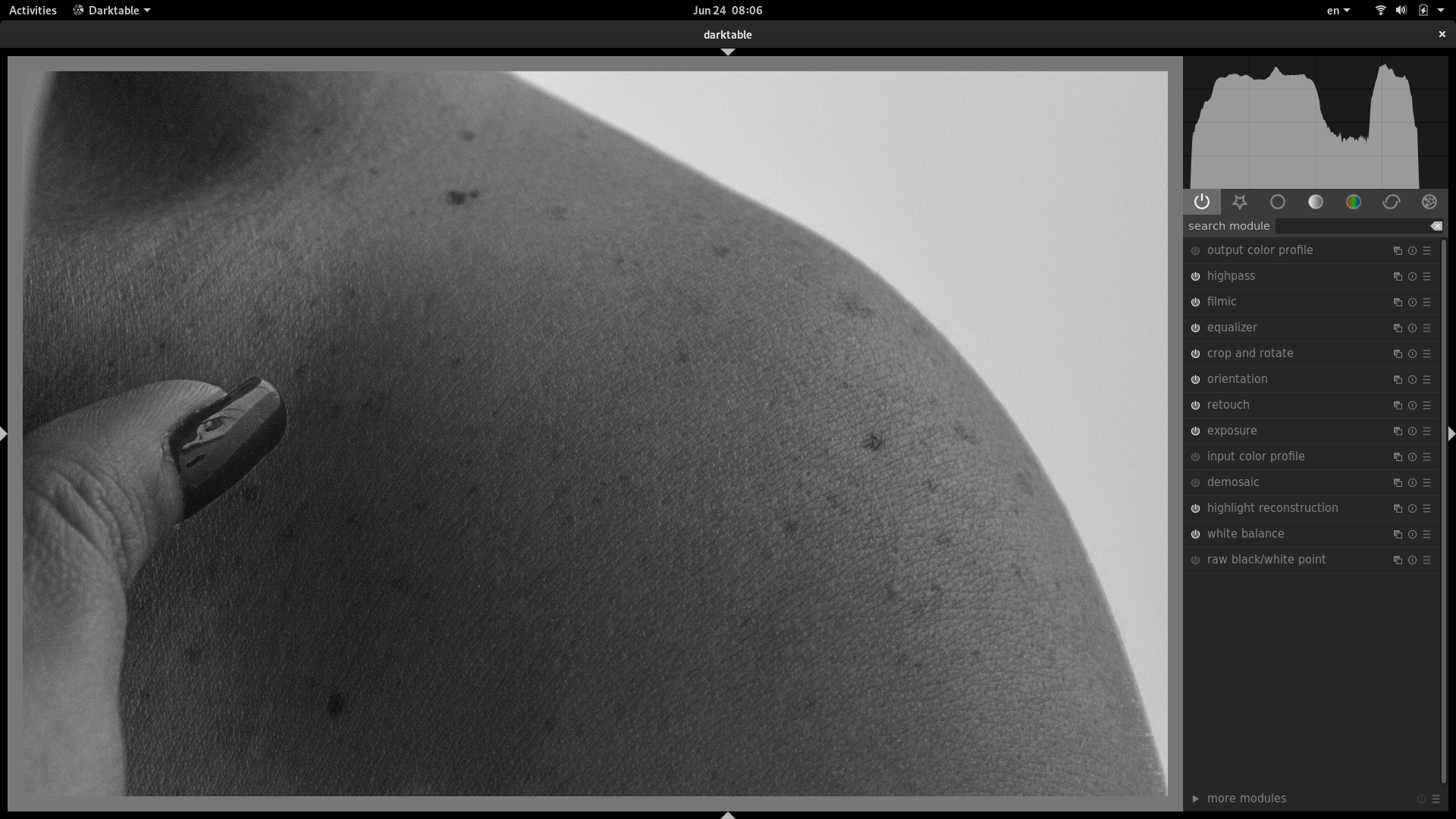
Tuve la oportunidad de realizar un pequeño taller de traducción y trabajar mucho en en manual de usuario de darktable (el cual había sido olvidado) ya que consideré que era un elemento necesario para los usuarios de habla hispana tener un recurso como este disponible en su propio idioma. Así mismo, se actualizó a 100% la traducción del software darktable que tenía algunas fuzzy y sin traducir luego de la adición del nuevo addon de curvas de mascara para sus módulos.
Fue bueno ver a viejos y nuevos amigos como siempre, y para ser honesta, siento que este año fui mucho más productiva que el año pasado; creo que el primer año siempre es dificil de manejar ya que te sientes abrumado por tanto conocimiento a tu alrededor. Reunirme con los chicos de darktable (houz y jcsogo) fue completamente asombroso, pasar el rato con el grupo de gimp fue simplemente fantástico; conversar con Konstantin sobre krita sketch fue genial, y probar las nuevas cosas que traen diversas aplicaciónes y formatos fue, en realidad, el mejor lugar para estar como diseñadora/fotógrafa.
Hay tantos videos que grabar en los próximos días, tantos artículos que publiar, y ahora que estaré intentando poner mi grano de arena en la organización del LGM, creo que la gente se cansará de mis post tarde o temprano. A todos aquellos que hicieron que esto fuese posible, gracias, sin sus donaciones nada de esto hubiese sucedido!!

The voting process for the supplemental wallpaper for Fedora 19 is open now, just in case you haven’t noticed yet every Fedora contributor can vote this time! So go look for them and vote, but please vote for the picture not for the person who submitted it
The time for voting ends on 19th of April 12pm UTC.

As of right now (April 17 at 12:00 midnight UTC) the Fedora 19 Supplemental Wallpaper Election is open to all Fedora account holders who have signed the Fedora Project Contributor Agreement and are an approved member of at least one non-cla group. (So no, you can’t sign up for an account today and vote.
)
We have 52 gorgeous and openly-licensed contributions from the Fedora community. The top 16 – ranked according to your votes – will be included in Fedora 19 as supplemental wallpapers. What are supplemental wallpapers? They are wallpapers that we package and ship with the release that users can choose from if they decide not to use the default wallpaper (the latter is created collaboratively by the Fedora Design Team.)
This election will be open for three days only, and will close at 11:59 PM UTC on this Friday, April 19th. So don’t wait – if you’d like a say in which wallpapers we include in Fedora 19, go ahead and vote now!
We’re using the Fedora voting system for this election; it’s not ideally suited to such an election (it can’t display images inline where you rank each wallpaper) so we are recommending the following workflow for this election:
- Scope out all of the wallpapers. There are 52 wallpapers. View them all on the wiki submissions page and note your favorites in order.
- Log into the election app. Visit the F19 supplemental wallpaper election page and log in using your Fedora account credentials by clicking on the ‘Log In’ button in the upper right. Then, click on the ‘Vote Now’ link at the bottom of the list of wallpapers.
- Rank the wallpapers and submit your vote! The higher the rank you give a wallpaper, the more likely it is to win. There are 52 submissions, so one thing you can do to save yourself time in the voting process is to rank your favorite 16.
Here’s just a tiny sampling of some of the submissions we’ve received:
Vote Now!
Major props to gnokii and Toshio for planning and setting up this election for us!
April 15, 2013
Saturday was the last the of LibreGraphicsMeeting 2013 in Madrid, the day started for me with an talk who was done via internet – The GIMP Magazin. I attended also Tav’s talk about the future things in Inkscape as there is really movenment changing the internal render engine. I had spoken with Tav at the party on the evening before about some things. Next talk for me was Jimmac’s talk how he misused Blender for doing the the introduction videos for GNOME. His talk ended like always
After the last talk the “closing session” followed and there are a lot of changes in organizing LibreGraphicsMeeting in the future, we discussed some things. What I found very interesting is that Ale Rimoldi played the protector of the poor people, he said we should recignize that some cant afford to buy the ticket before and get later reimbursed. Find that very interesting as I went last year to him asking if that can be done for Gustav Gonzalez he was strict against it. Everything else I had as point was said from other people. So there will be some good changes in the future. We had later an organizing meeting for people who interested to help organizing LGM and it ended with nice ideas. As possible places for next year are Montreal/Canada, Medellin/Colombia, Buenes Aires/Argentina and Leipzig/Germany as possible hosts for next LGM version. And there will be a competition, means who makes the best proposals and presents the best solutions will get it. That session took a long time, but I am sure the changes are a big step forward in the right direction.
After that we went to an short bring your own food party and it was very nice, because a lot of nice discussions went on there. As Chris Murphy attended the LGM and also Pippin from GIMP we had a lot of time to speak about where to do the next Color Management Hackfest and we think Norway would be an good option as we could use the color lab, with the tools we need for driving CM on Linux forward. After Norway we think its the best option to make the CM Hackfest combined with LGM as there are lot of color people around and also applications that could be interested and need help. So on the end it was a nice week, with nice people a lot of new informations and nice results. Thx to all sponors to help to make that meeting happen and also thx to Fedora for sponsoring me.
April 10, 2013
First day of LGM is done, it started late and it ended late. I attended the Synfig Animation workshop which get an break because of an fire alert. After the workshop the talks started but not as scheduled. I had the third talk and was half an hour to late, so I went through my talk very fast and skipped also the questions. But I think it was a good talk about the Fedora Design Suite. Personally I was interested in Tavmong Bahs talk about the future of SVG -SVG 2.0 But he prepared a lot of slides and most of them explained what SVG is and he runt out of time as the talks on LGM are only 20 minutes.

The rest of the day was a lot meeting old friends and new people, but a little bit stressful for me as I had to manage to close the supplemental wallpaper process and attend the EMEA Ambassadors meeting, but I managed that until my battery run off power. So its already late now and I am tired. But tomorrow will be a new day full of talk, in case you are interested they will be streamed: http://streaming.medialab-prado.es/
English
Yum has autoremove feature since 2010 but there is a simple command to do so:yum autoremove
Here is quick example below.
Français
Yum a l'abilit&eacut; d'"autoremove" depuis 2010 mais il existe une commande plus simple sur la version recente 3.4.3:yum autoremove
Voici un exemple ci-dessous
$ su -c "yum autoremove" Loaded plugins: langpacks, presto, refresh-packagekit Resolving Dependencies
--> Running transaction check
---> Package gnokii.x86_64 0:0.6.31-4.fc18 will be erased
---> Package net-snmp.x86_64 1:5.7.2-5.fc18.1 will be erased
--> Finished Dependency Resolution
--> Finding unneeded leftover dependencies
---> Marking lm_sensors-libs to be removed - no longer needed by net-snmp
---> Marking net-snmp-agent-libs to be removed - no longer needed by net-snmp Found and removing 2 unneeded dependencies
--> Running transaction check
---> Package lm_sensors-libs.x86_64 0:3.3.2-5.fc18 will be erased
---> Package net-snmp-agent-libs.x86_64 1:5.7.2-5.fc18.1 will be erased
--> Finished Dependency Resolution
Dependencies Resolved
================================================================================ Package Arch Version Repository Size
================================================================================ Removing: gnokii x86_64 0.6.31-4.fc18 @updates 2.0 M net-snmp x86_64 1:5.7.2-5.fc18.1 @updates 874 k Removing for dependencies: lm_sensors-libs x86_64 3.3.2-5.fc18 @fedora 60 k net-snmp-agent-libs x86_64 1:5.7.2-5.fc18.1 @updates 2.0 M Transaction Summary================================================================================ Remove 2 Packages (+2 Dependent packages) Installed size: 4.9 M Is this ok [y/N]: y Downloading Packages: Running Transaction Check Running Transaction Test
Transaction Test Succeeded Running Transaction Erasing : 1:net-snmp-5.7.2-5.fc18.1.x86_64 1/4 Erasing : 1:net-snmp-agent-libs-5.7.2-5.fc18.1.x86_64 2/4 Erasing : lm_sensors-libs-3.3.2-5.fc18.x86_64 3/4 Erasing : gnokii-0.6.31-4.fc18.x86_64 4/4 Verifying : 1:net-snmp-agent-libs-5.7.2-5.fc18.1.x86_64 1/4 Verifying : lm_sensors-libs-3.3.2-5.fc18.x86_64 2/4 Verifying : 1:net-snmp-5.7.2-5.fc18.1.x86_64 3/4 Verifying : gnokii-0.6.31-4.fc18.x86_64 4/4 Removed: gnokii.x86_64 0:0.6.31-4.fc18 net-snmp.x86_64 1:5.7.2-5.fc18.1 Dependency Removed: lm_sensors-libs.x86_64 0:3.3.2-5.fc18 net-snmp-agent-libs.x86_64 1:5.7.2-5.fc18.1 Complete! $ yum --version
3.4.3
Installed: rpm-4.10.3.1-1.fc18.x86_64 at 2013-02-10 20:58
Built : Fedora Project at 2013-02-06 09:54
Committed: Panu Matilainen <pmatilai redhat.com=""> at 2013-02-06
Installed: yum-3.4.3-53.fc18.noarch at 2013-04-06 19:25
Built : Fedora Project at 2013-03-25 14:46
Committed: Zdenek Pavlas <zpavlas redhat.com=""> at 2013-03-25 </zpavlas></pmatilai>A welcome change on that release is the ability to control notification messages, search and privacy (better late than never). Switching to different keyboard input is much easier with Super+Space (English, French, Japanese). The new user interface for system setting seen on Network, is easier for the eyes in term of readability.
The crash report known as ABRT received a new interface but needed some refinement layout side although it is much better than the previous version found on Fedora 18.
An year and half annoying issue is the inability of Calendar to recognize Thunderbird Lightning. I installed Ligthning extension and still no dice...

10-14 April, meaning right now, in Madrid is taking place the Libre Graphics Meeting conference, is the biggest event getting together developers working on and designers using Free and Open Source graphic tools. Is a very good conference with program packed with presentations, workshops and various meetings, making this community feel like a big family.
Unfortunately this year a conjuncture of various live evens keeps me away from the conference and friends there, but I hope to meet them again at the next edition taking place in Europe (it will be a while until then). Have the best of fun and some fruitful time!
April 09, 2013
Last week the Fedora Board had an open, public meeting in IRC to discuss Fedora’s user base / target audience. Robyn announced the topic ahead of time and invited folks to join in. You can read the full meeting minutes, but I’ve gone through them and tried to pull out all of the interwoven threads of discussion and summarize it here for you as well.
Where we are now
The current Fedora user base is anyone who is:
Also worth mentioning are:
- Fedora’s mission statement:
The Fedora Project’s mission is to lead the advancement of free and open source software and content as a collaborative community.
- Fedora’s vision statement:
The Fedora Project creates a world where free culture is welcoming and widespread, collaboration is commonplace, and people control their content and devices.
- Fedora’s core values:
- Freedom
- Features
- Friends
- First
Okay, now what?
With all of this in mind, Robyn opened the meeting with a few initial discussion points:
- Does our user base, as currently defined, still hold true for us as a project in describing who we want our users to be?
- Is what we are producing right now appropriate to meet that user base? If not what can we change to meet it?
- Do our mission and vision statements still hold true?
Welcome to 2013 – what’s happened since 2010?
Starting with the first point, Robyn noted that it has been some years since we as a project re-examined the user base definition and determined whether or not it is something that still helps us achieve our mission and vision for the project. Our current user base definition and set of mission and vision statements were drafted in 2010. Robyn asked, “What has changed in the past three years that might make this list more or less relevant?” The changes meeting participants suggested were:
- Cloud (gholms) A potential set of contributors seem more interested in cloud images than desktops – they seem to be people who want to be involved in Fedora. (brunowolff)
- More desktops – there’s been an explosion of different desktop environments… Cinnamon, Mate, etc. (mattrose)
- Growth of Github – Github has grown from something like 100k accounts to 3 million users and 5 million repositories. Are those folks likely collaborators who care about open source? I would say yes. (rbergeron)
- ARM & maker culture – The rise of ARM, raspberry pi, and maker culture. Are those folks more likely collaborators more easily targeted? Possibly. (rbergeron)
- The rise of Android and ChromeOS (vwbusguy)
- Tablets – tablet devices have grown in popularity (vwbusguy)
- OS X – Mac OS X now seems to be the developer platform of choice, even amongst open source developers. “MacOSX still the easiest way to just get shit done, both as a user and a dev.” (mattrose) “Linux is staying at 2 percent of the desktop market.” (rbergeron)
- Rise of social networks (misc)
- Virtualization – Virtualization is much more prevalent (mattrose)
- It only seems to apply to the default desktop – should it?
inode0 also said, “Redefining Fedora to be something other than a live desktop is the correct place to start as what that is defined to be will guide the rest of this.”
jreznik asked, “Do we know the user base of current gnome and target audience and as it’s our current default offering – does it match ours?”
- Do we have any control over it?
“Are we able to steer it, or are we completely in a position to follow our upstreams?” asked jreznik.
mattdm answered, “We should have a user base statement of our own, and select upstreams that fit it.”
- Why do we have a single defined character? Why not a target set of use cases?
AndyP asked this question.
“We do now, each spin has one even if it is implicit,” answered inode0.
- We want contributors
“The user base we want is contributors,” vwbusguy pointed out.
“I think we *all* want Fedora to have more contributors,” Robyn added.
- Many contributors ignore the user base
“We have a fair number of contributors that don’t care about the user base as stated, and just ignore the wiki if they even know it exists,” pointed out mitr.
“But you don’t have to spec out every user, just every core feature; specing out users limits your userbase.” pointed out AndyP.
- What about sub-communities?
“Each sub community is in charge defining it’s target audience; of course, many sub-communities might be competing for the same target audience (like the desktop environments are doing)” VikingIce said.
- If we want more contributors, we’re not doing a good job at attracting them.
dan408 pointed out, “Contributors don’t appear out of nowhere. Is there a book on Fedora I can read? Do I install fedora and then start reading every wiki page and become a contributor? There is no clearly defined path on a) how to become a contributor and b) how to plan to attract contributors c) a good place for contributors to start to learn the Fedora bureaucracy.”
- Arista Networks uses Fedora for their EOS for their switches.
- Red Hat uses Fedora as the basis for RHEL.
- There are a lot of people who use Fedora to build things. ARM devices, etc., you name it.
- Fedora’s subcommunities, in order to grow, need Fedora to be a more stable base for building upon than it is now.
- Fedora may need to revisit many of its policies (the updates policy was given as an example) in order to be friendlier to folks using it as a base to build a derivative distro on top of.
- If the Fedora project’s target / user base is technologists making derivative distros and/or using Fedora as a platform on top of which to build other technologies, then the subcommunities that come out of building on top of Fedora should determine their own respective user base targets.
- When conflicts arise between sub-communities, it could be the Board’s job to resolve those disputes. However, the Board doesn’t actually have a whole lot of power to do this in reality.
- Fedora as GNOME OS / as a desktop product
DiscordianUK stated, "The market such as it is perceives Fedora as Gnome-OS."
"I think that's probably largely fair to say," Robyn replied. "I'm not saying it's correct; I'm just saying that I think that is the perception."
vwbugguy added, "Yes. We have a strong KDE and XFCE community and it seems like they kind of get the back seat with our labeling."
"Yep," said gregdek. "Have for years."
"We have many desktop environments," DiscordianUK pointed out.
inode0 suggested that one of the core problems might be that Fedora is a Linux desktop distribution.
"That's kinda paradoxal," misc responded to inode0, "since people think that Fedora is 'RHEL beta,' but few people use Fedora on a server, and few people use RHEL as a desktop."
"Is it a problem?" jreznik asked inode0. "Do we want to be more [than a desktop distribution]? Do we have the contributors to we need to be more?”
Robyn responded, “Yes. And we have many, many use cases that go beyond ‘as what’s on my laptop or desktop machine as the primary OS.’”
“So… maybe instead of targeting a user-base, target use-cases?” suggested rdieter.
“But we should attract more people who want to build other things too,” said inode0, “and we aren’t because of our desktop focus.”
The conclusion of this thread of conversation appeared to be that Fedora is currently seen as a desktop-focused Linux distribution, and that this perception may be weakening our ability to serve, as discussed earlier, as an effective platform/base for building things on top of.
- Fedora as a RHEL testbed
“The largest perception I see in the wild (after a decade!) [of Fedora]” said mattdm, “is’”that’s the RHEL beta test thing, right?’”
A little further on, there was more in-depth discussion about this perception.
“I’d like us to stop pretending Fedora is not build for RHEL,” said mitr.
“Making fedora serve as a base for RHEL is an extremely important use case in terms of the sustainability of the project,” said mizmo. “That doesn’t mean it has to be the only use case. I also don’t see anybody pretending it’s not a base for RHEL.” (ed. note – that’s me.
)“If it is one of our strengths,” gholms pointed out, “we should play to it.”
“Certainly!” responded mizmo. “Having a stable platform that is used for a widely popular enterprise Linux is absolutely a strength.”
mitr pointed out, “The user base on the wiki and people who use RHEL have pretty much nothing in common.”
“That’s actually not true at all,” responded mizmo.
“Target use case: ‘make derivative spin/distro’” said rdieter.
“Being seen as RHEL beta is harmful,” said misc, “as I am pretty sure there is less contribution from external company due to that ( when compared to debian, for example.)”
“I don’t see RHEL as a problem,” DiscordianUK stated.
“I don’t think RHEL beta is accurate,” said brunowolff. “It is more used for technology development, some of which succeeds and some of which fails.”
“Well, as i said, RHEL targets mainly servers, and I think I am in the minority who run Fedora on server,” said misc. “That’s not a great way to test a beta.”
The conclusion here, then, seemed to be that even though it is a very real perception that Fedora is merely a ‘RHEL testbed,’ it also directly conflicts with the other very real perception that Fedora is a ‘desktop distro.’ The conflict comes from the fact that RHEL is primarily a server, not a desktop, so if Fedora is a ‘RHEL testbed’ then how can it also simultaneously serve primarily as a desktop?
It was also suggested that serving as the base that RHEL is build upon is a strength, and that strength could be used to expand Fedora’s utility as a base platform.
- We could replace the user base document with a definition of prioritized use cases Fedora is meant to support.
- There is value in defining a set of prioritized use cases in that it helps the various teams and groups within Fedora determine more intelligently how to expend their limited resources in supporting any specific use case.
- The board can help support a given use case not just with funding, but with direction, messaging, marketing, and other influence.
- The project board shouldn’t just come up with a set of use cases and declare the community should focus on those; rather, they should review all of the use cases Fedora is being used for today and prioritize, promote, and find resources for those determined most important.
- Whichever way we end up going moving forward, the Fedora website should reflect that direction. It currently is very desktop-centric.
- Whatever we decide Fedora’s ultimate purpose is, we should make sure it’s something that matters so people will care about it. Perhaps being a ‘multi-desktop distro’ isn’t really something that matters.
The changing nature of open source contributions
A bit further on, but relevant to the change that’s taken place in the technology and open source community since 2010, there was a discussion thread about how the nature of open source contributions itself has changed.
In talking about the 5 million people on github producing open source software, Robyn pointed out that for them “packaging really sucks.” She also said, “I don’t know that they understand the value [of packaging]. I don’t know that swinging the pendulum back is that easy.”
She continued, “Open source contribution has largely changed from ‘I work on the Linux operating system’ to ‘I get stuff done for my dayjob’ and ‘I scratch my own itch.’ To people whose experience is basically ‘github’ as far as open source contribution – which I would argue is far more likely to tap as a set of potential contributors than “ANYONE ON EARTH IN USER BASE” – packaging is a hell of a lot more work.”
“So there is a new, gigantic community of people building cool stuff with open source for which Fedora as it stands is completely irrelevant,” said mattdm. “That gigantic, growing community isn’t a fluke – it’s just the result of the general trend in computing.”
“I have to wonder:” replied Robyn, “Are we okay with knowing people are using Fedora, or are benefitting from Fedora, WITHOUT IT BEING the bright shiny thing on their desktop? Or saying Fedora in a big logo on it?”
“If they mention it in their docs on setting up their app/tool/service, yes,” responded skvidal.
“Our mission is to lead the advancement of free and open source software and content” mattdm said. “Increasingly, the movement around free software is going elsewhere. Not just from Fedora; from working on distros. Not because we suck; in fact, because we did such a good job that it’s boring. Interesting problems are now at a higher level.”
Brunowolff brought up another point, “I am not sure developers really understand what free software is really about. I have had some interactions with upstream for some things where they really didn’t understand licensing and claimed their stuff was GPL when they were using non-free assets. They seemed to think if they could get something from a public web page, that it was free.”
What good has the user base definition done for us?
There was also a thread of discussion that centered around how having a user base definition for the past 3 years or so has affected the project. Several discussion points were brought up:
How about the mission?
andreasn asked, “Is it a important mission of Fedora to spread free software to the masses?”
“Yes,” answered Robyn, “But does that mean that Fedora has to be their desktop? Can Fedora be *on* their desktop? Can they use Fedora to develop with? Are we okay with our technology being used to spread open source culture, even if we aren’t getting credit?”
“In fact,” responded mattdm, “that IS the mission. Producing a Linux distro is just one of the projects we happen to undertake.”
“This is about making *us happy*, and having something that we think people want to contribute to,” said Robyn.
“I was mostly curious in the context of target of ‘likely collaborators,’” responded andreasn, “as that is sometimes used as a bat for making things less non-hacker-friendly.”
Chicken or egg – do we define the potential contributors we want, or the contributors we already have?
“Can we… step back a little,” asked mitr, “and make sure that the board agrees whether it is attempting to define a vision for (existing or potential) contributors to follow, or to codify a vision that reflects contributors we actually have?”
Looking at the contributors we actually have Robyn said, “I think that Fedora has proven to be a valuable platform for people who want to take it an extend upon in HOWEVER THEY WISH to achieve their user ends. OLPC does this with the XOs and sugar.”
“OLPC and XO is in a different position,” responded jreznik. “Their target is pretty clear, one hardware…”
“It is absolutely true everywhere startup and cloud-focused that I look: Mac on the desktop, Linux in the cloud,” mattdm pointed out.
Robyn then provided a few scenarios in which people are using Fedora as a platform for building upon:
Then there was a bit of discussion as to what makes Fedora a good base to build on. “The reuse is tied to our insistance on using free software,” said brunowolff. “With Ubunutu you have to worry about what you can reuse.”
Fedora could be a better base platform, though; mattrose pointed out, “If we want Fedora to be a base for other things, we have to be *way* more solid than we have been.”
At this point, then, a lot of the discussion began to swirl around the concept of Fedora primarily serving as a platform to build other things on top of.
Sub-communities & being a platform
There was a long conversation thread interwoven throughout the meeting about Fedora’s subcommunities.
“What I’ve always liked best about Fedora,” remarked gregdek, “is the ability to empower sub-communities to do awesome things. I’d like to extend that ability. And I’d like to see a structure that allows sub-communities to identify common problems and work together on them.”
“Nobody said it was going to be easy,” responded VikingIce, “but before we can do that we need a stable release (synced core or base OS) which they themselves can then build upon.”
“How does ‘Fedora as a platform’ relate to the ‘user base’ focus we have now? Does it replace it? Change it?” asked gholms.
gregdek answered, “It puts user base focus on individual sub-communities. Where, in my opinion, it should be.”
vwbusguy related gregdek’s idea to the Android community. “I like the idea of vanilla android vs vendor forks as a model,” he said. “Vanilla Android is both user-friendly and easily-customizable for forking.”
mattdm warned, “As someone with experience in making derivative distributions, if we really want to be friendly to that, that has huge impact on how we do many things (our updates policy, for example.)”
What exactly is meant by sub-community though? gregdek provided some examples: “Sub-communities will include more than just DEs. They’ll also include cloud platforms, web development platforms, mobile platforms… and so on,” he explained.
“Sub-communities also define their own target use case by their own existing nature,” added VikingIce.
mattdm had a very good question about conflicting and intersecting subcommnunity needs. “What happens when sub-communities’ needs clash?” he asked. “That’s kind of the point of having one default target originally.”
“That’s the kind of problem that the Fedora board should be regularly dealing with, and making decisions,” answered gregdek.
jreznik questioned this. “So you prefer subcommunities but wants one central board thing to make decisions?”
“One central board to handle disputes and apply scarce resources to common problems, yes. That’s exactly what I want,” gregdek responded.
“Yep, I agree in this way but I don’t see we hit such issues very often,” said jreznik.
“I think we hit them all the time,” gregdek explained, “Like ‘better package build tooling,’ which could benefit everyone.”
jreznik replied, “Better packaging tools are not a Board decision – someone has to do it. The Board can’t say ‘from today, you’re not Mate packager, but you’re working on tools…’ It even does not work in companies; I expect dan408 would leave such company.”
So the points and suggestions that were made during the part of the discussion were:
Changing the user base definition
There was also some discussion about, if we were to change the language of the existing user base definition for Fedora, how would we change it?
[We need to add something about 'cloud' and/or 'derivative distro maker,' in my opinion," said rdieter, after the platform discussion. "Or heck, we can even explicitly say 'maker of Fedora spins."
"So we'd be serving as a basis for derivatives, kinda like debian?" asked misc.
StillBob pointed out, "that is what made it cool for us tinkerers and hobbyists."
"Absolutely," said gregdek.
The conversation drifted from there, however, so there were no other concrete and specific suggestions made for changing the current user base definition language after this point.
Current perception of Fedora
There was also a thread of conversation about how Fedora is currently perceived. This thread came up because it was thought that Fedora's current perception might affect any future plans to change who the project is for and its priorities: If the project is known for being a specific thing and we decided to do something very different, for example, we'd face a lot more struggles in convincing folks interested in the new, different thing to join the community.
There were two main current perceptions of Fedora that everyone discussed:
Who determines Fedora’s direction? The project board’s futility
A theme that came up a couple of times was how much the project board could actually do to change anything.
“To some degree we don’t get to decide what we will be,” said inode0. “We start somewhere and the community takes us along for the ride.”
“The board do not control people,” said misc.
rdieter responded, “but we can say ‘no’ to things.”
“Only if the board is asked,” StillBob pointed out.
“The board can be proactive too,” said rdieter.
StillBob questioned this. “How many things are happening without being asked?”
“If no one notices or is hurt,” rdieter explained, “it’s not a big deal. When it causes problems or conflict, [the board] steps in.”
“We can occasionally reset the starting point,” inode0 said, “but ultimately people contributing will again reframe the direction we go from there.”
Use cases vs. userbase
One very long thread of conversation started by AndyP was changing the user base definition document so instead of referring to a specific user we are targeting as a project, it referred to a set of use cases we had prioritized and committed to supporting.
“Targeting the universe is the opposite of strategy 101,” Robyn said. “YOU CANNOT BE ALL THINGS TO ALL PEOPLE.”
“If you focus on a user base, I think people look at it and think that if it’s not them, it’s a problem, and they disagree with it and ignore it,” mizmo said. “If you focus on a set of use cases we want to support, and they are cool things our community wants to do, it might be easier to build support for them.”
“If the community wants to do them already,” asked mitr, “why would we need to define the use cases in the first place?”
“If they aren’t defined,” answered mizmo, “then they are harder to get support for. For example, if we decide that building cool robots using Fedora is a priority use case, then we can get funding to go to robotics conferences and talk about Fedora there.”
“If it’s just a small subcommunity doing robot stuff,” mizmo continued, “it’s hard to get other teams in Fedora like marketing and design and ambassadors and events all supporting it – because the priority is not clear.”
“Or because there is more packagers than marketing/doc/etc team can handle,” misc pointed out.
mizmo continued, “Without priorities, everything is equally able to be ignored / put to the bottom of the pile. With priorities, it’s easier to get resources to the things we think are important.”
“That’s talking about some prospective community that doesn’t exist,” responded mitr. “OK, I was thinking in context of existing contributor base.”
“No,” replied mizmo, “There is actually a robotics community within Fedora. I wasn’t making up an example.”
VikingIce added, “But what’s important is what matters to the subcommunities, which are the people doing the work in the first place.”
What can the board do, anyway?
“Marketing is part of the problem,” said vwbusguy. “If people don’t know that a robotics community even exists, for example…”
“Anyway,” mitr said, “the only thing the Board can directly affect is marketing money? How realistic is that it will significantly change what most of our contributors want to build on?”
mizmo disagreed. “That isn’t the only thing the board can directly affect. It’s not just money. it’s how we talk about the project, what conversations we decide to enter into and which we abstain from.”
“Perception matters a great deal,” gholms added.
“It’s about building the relationships with those communities best served by the prioritized use cases to expand Fedora’s reach into the mainstream of those communities,” mizmo continued.
“Realistically there are the dozens/hundreds of people building RHEL and they are not going away,” mitr responded.
“Okay, and so what?” asked mizmo.
“So they can and will drown out some other use cases,” said mitr.
“How/why?” asked mizmo.
“Yep. We have to build better relationships,” said Robyn, stepping in.
No edicts from on high, please
mizmo asked, “Does anybody disagree with the idea that we all want fedora to be used in building cool things? Because if we all agree with that, then the next step is to figure out what cool things.”
“I agree completely with that,” answered inode0, “but I disagree that the board or any other small group should define the set of cool things.”
“I think that the ‘cool things list’ may be ‘here’s what we’re doing the best at RIGHT NOW,’” Robyn responded. “We can’t tell people what to do. But we can certainly foster an environment that it easy for them to do really great things.”
“Well, we can’t be everything – that’s what we are now, that’s not so successful is it?” asked mizmo.
“We aren’t everything now,” inode0 responded.
“We are a complete chaotic anything goes bazaar,” mizmo disagreed. “I consider that everything.”
inode0 pointed out that he thinks we are pretty close to exactly one thing now.
“By being everything we are nothing,” mizmo responded.
“It isn’t about being everything,” said inode0. “It is about whether 10 people are smart enough to declare we are now X.”
“I don’t think anyone is saying that anyone is going to do that,” mattdm said.
mizmo agreed, saying, “I don’t think they should do that. Rather, I think we should take a look at what people are doing with Fedora now that is cool and elevate those things that are the most promising, call them out, and get them resources.”
“Well, if we say these are the 3 use cases we care about – I think that is what we are doing,” inode0 said.
“If the board comes down with those use cases from the mountain, sure,” mattdm said.
mizmo responded, “It depends at what level you’re defining the use case. A use case can be quite broad or very specific.”
Building on, or building a base
“On, or as a base?” asked andreasn.
“Either,” answered mizmo.
“Does it matter?” gholms questioned.
“Well,” andreasn responded, “one is building a clear operating system that includes tools for making, say, blueprints for robots on, the other would be a base operating system for robot software.”
Who doesn’t want to build cool things?
“What would be the opposite of that statement?” asked mitr. “People who want to build uncool things? People who want to… watch youtube movies?”
“Does there have to be a direct opposite of the statement for it to make sense to you?” asked mizmo. “The user base is a good alternative for comparison. E.g., Fedora being for people who build and make things, not people who consume or do ‘general productivity’ tasks.”
“No,” mitr said, “but it needs to be more specific than “90% of breathing people” (I know the 90% is exaggerating.)”
mizmo agreed, “Right, that’s why I’m saying the next step would be to define which type of cool things we want to focus on enabling people to build. Or think about what folks who aren’t currently using who fit our core values and would benefit from free software and try to engage them.”
Big changes make a mess?
“So, if we declare this the key use case, the release cycle changes *follow*. Making that the driver is *backwards*.” said mattdm.
“The whole /usr move, gnome3, systemd and anaconda changes have made a mess of the last few releases,” said mattrose.
“Well,” responded andreasn, “One has to evolve or die.”
“Yeah,” agreed mattrose, “but it was still a mess.”
Users vs. Contributors
“Looking on it – we maybe hit clash between contributors (who contributes to Fedora for some reasons) and users (who just wants to use it)…” said jreznik, “and there are not enough contributors to say, it’s the only audience.”
“We should blur the divide between users and contributors as much as possible,” vwbusyguy said.
mattrose added, “I think more users would contribute if it were easier. I don’t think anyone is ‘just a user.’”
What do we want, anyway?
“I think your point follows well too,” said herlo to inode0. “There’s no real value in discussing the user base until we know what we want.”
“Well, I recognize myself in the userbase,” said misc, “but yeah, we are not using it to define what we do.”
“What we are producing is a desktop distribution – see the website,” said inode0.
mizmo suggested, “We can change the website. The messaging of the website is all F11/F12 era.”
“It is the substance that is limiting,” responded inode0, “so we can think about how much of this can be accomplished via marketing/website stuff – some surely can.”
“How does being a collection of desktop linux systems do any good for anybody?” mizmo asked. “Are there people in the world whose goal in life is to try multiple desktops? I can’t imagine there are enough for Fedora to then matter much in the world? Trying different desktops out isn’t really doing anything.”
“Desktops should be one thing Fedora is used to create,” inode0 said.
“What about servers then?” asked andreasn.
“They’re there, but secondary,” said vwbusguy.
VikingIce said, “If you want to make people contribute and participate it needs to be fun and fulfilling for them to do so; the more sub communities we have, the more they are likely to find something they feel is fun and rewarding to participate in.”
“It’s going to be fun and fulfilling if what we’re doing MATTERS,” said mizmo. “Serving as a multidesktop distro doesn’t matter. How many multidesktop distros are out there?”
Summary
I think the overall conclusions you could draw from this discussion are:
Other discussions
There were a few other loosely-related discussions that took place during the meeting.
Upstream
jreznik brought up the tension Fedora experiences in terms of deciding its own destiny vs. being at the mercy of upstream.
“As a distribution,” jreznik started to explain, “we really has to be more in touch with upstream, especially that upstreams that influences our offering and to know, where they lead…”
“Upstream is defined again by subcommunities like each DE,)” said VikingIce, “So Fedora can never be any closer to upstream than the subcommunity makes it.”
“Agreed,” said Robyn in response to VikingIce. “And when we have disconnects between communities, or we aren’t in trust of them, we have found different substitutes. Mariadb / mysql seems to be a reasonable extension of that idea, I think. It’s not about making us a great platform for mysql; it’s about us having a community that is happy about the communities it works with.”
Content
There was a brief discussion about what Fedora can or should do in advancing free content, since our mission statement mentions free content.
“Our mission is to lead the advancement of free and open source software and content,” mattdm said.
“I am not sure we are leading on the content part, to be honest,” said misc.
“I’d really like to see that content part!” jreznik added.
Mmsc replied, “Isn’t it the job of a already existing community (like wikipedia, etc.,) so maybe we should think how we can complement them?”
“I mean it more in the way – propagate that content, show people free content, open data works great with our values etc.,” jreznik responded.
An easy-to-modify platform
The conversation then circled back around the concept of Fedora serving primarily as a platform for people to modify.
The principle of freedom makes Fedora more compelling
“I think that the best way to get more people to contribute is to have something that is easy-to-use / modify / reshape for their own ‘end user purposes’ – and to have an enduring promise and commitment to freedom that we yell out from the skies,” said Robyn. “There are 1 billion places for people to contribute. It is easier than ever. Standing for something and having a reason more than ‘easy-to-use’ affects people’s hearts, makes them have a relationship with us, etc. And frankly, it helps them overlook problems like ‘oh god updates just ruined my day’ too.”
“Yup,” agreed vwbusguy. “The FOSS emphasis is a big draw for contributors, IMO.”
“It lets them want to put up with ‘must upgrade once a year,’” added Robyn.
“And we shouldn’t sacrifice that for the sake of being ‘user friendly,’” said vwbusguy.
“Honestly: Fedora as a platform rather than “Fedora as the perceived gnome-os” is probably better as a base for RHEL anyway,” Robyn mentioned.
“The reality is that Fedora *is* a platform,” said gregdek. “A great one.”
Not perceived as a platform
inode0 pointed out one issue, “The reality is no one really perceives it to be a platform and perception has a lot to do with who comes to look around.”
VikingIce explained the issue is “because we are sending the message ‘we have a default’ and by doing that we ‘this is what we want you to do’ instead of encourage people to explore, try, and if they dont like what they see here are the tools for you to create what you like to see.”
Building products?
“The good thing about the desktop offering,” pointed out andreasn, “is that it is a clear product. The server should be a clear product, too.”
jreznik said that he “would even not object with GNOME OS based on Fedora – even as a separate project for example same as RHEL is.”
“rbergeron’s wording as ‘platform’ makes more sense to me…” said mitr. “Anything can be used to build a derivative, but that doesn’t mean the base does anything particularly well.”
“Wording doesn’t matter to me,” said rdieter, “As long as it’s a clear (and important) documented use-case.”
“I would like for us to be a kick ass guest,” said Robyn.
The implementation of a platform will be sticky
“I can stand behind the idea to build a platform,” said mitr, “but the implementation will be a minefield.
Are we willing to walk through it?”
“We must be,” gregedek responded.
“A platform for what?” mizmo asked.
“Everything,” VikingIce answered.
“So now we are back to being everything again,” mizmo sighed.
“For building $stuff on,” mitr explained. “Like, an API that actually makes sense instead of the 10 million libraries we have.”
“Do we want as a project to be that one who ships the final product people can use, or do want to be a catalyst to allow other projects to build on top of it? GNOME OS, RHEL, cloud images…” asked jreznik.
What our the next steps?
“What are our steps at this point?” asked Robyn. “Do we agree that $userbase as defined is not matching up with what we are producing, and that we are not making great strides in reaching that userbase with a product or messaging?”
Everyone basically agreed with this point.
Agenda for the next meeting
“It seems like common pattern here is platform – could we start next meeting with it? What such a platform could look like?” asked jreznik.
“Maybe platform plus (use cases as they connect platform to subcommunities)” suggested gregdek.
“There’s little brainstorming exercises; I have a book of them. Maybe I’ll go through it and pick out some I think might work for us and suggest them on the list?” suggested mizmo. “I think if the next meeting focuses on building an artifact, the discussion will be a bit less chaotic.” You can read those brainstorm exercise suggestions here.
Material for the next meeting
“I am going to write up thoughts on ‘what has changed,’” said Robyn. “I think a lot of times people don’t really look out the window at the rest of the world. And a few other thoughts as well. I have this enormous bunch of writing that is bordering on novel-size.”
Research to gather
“I think it would be useful to know why people contribute to Fedora *right now* – what are they passionate about?” Robyn said. “I wonder if a call for people to blog / write about their interests would be useful (and nice to see in general.)”
“There’s a thread on devel list now about what people use Fedora for,” mizmo pointed out. “I think it would be cool to do a widespread blog thing on that.”
“Yep,” said Robyn. “I think they’re different, slightly, though – contributing and using – though largely the devel list is going to be contributors.”
“Maybe a meme,” herlo suggested. “Name 3 things for which you use Fedora.”
“Fedora Haikus,” said Robyn. She then asked herlo, “Do you want to do a Fedora “3 reasons you use it” thing more in social-media land (Facebook, etc)? I think a lot of folks *don’t* read devel list – and it would be fun and concise.”
“Maybe,” replied herlo. He said he will think of a “fun little gag that might catch on.”
“What about 3 things you wish you could do with Fedora?” asked mizmo. “Or 3 dreams you have for Fedora?”
“Why I use Fedora in 3 words (for twitter),” suggested AndyP.
“We need a good way to find out a few bits of things: Why people care, why people use, why people contribute,” Robyn concluded.
Packagers vs. other contributors
“In fact,” said misc, “I think packagers are over-represented, in the sense people try to become packager from others team.”
“While we need more packagers,” added brunowolff, “I think non-packager contributors are more valuable as they are harder to find.”
“I don’t know that ‘make it easier’ converts people to contributors, though,” said Robyn.
“‘Contributors’ is kinda vague,” DiscordianUK added.
“But non-packagers probably find dealing with breakage harder. They aren’t in as good of a position to be able to directly fix it,” brunowolff pointed out.
What’s next?
I think the board is planning to have another open meeting to discuss this topic further. If you’d like to continue the discussion and join in on the next meeting, check out the Fedora advisory-board mailing list.
March 30, 2013
Of course my natural reaction was: I do graphics, I can do it myself! But I can't paint the walls myself, I have no experience with painting at such large size for the wall (and my experience with painting is very little, watercolors on paper, back from elementary school), so maybe a better option would be to design the stickers with Inkscape, find a place to print them and use that.
But the time was short and I had no idea where to print large-size wall stickers (plastic), so ultimately I gave-up, bought something offline (in the Chinese market they have some decent ones, low price, pretty enough and from a quality point of view, they will last enough for the price).
Of course my creative self was not happy with the defeat, now I found some free time and designed one of the many ideas I had back then: a set of stars with the moon, all of them with funny faces. I won't use them as stickers, all I can do is to make them available as clipart, if anyone has some need for them.
About the other ideas... we'll see if I get the time and mood to put them down too (less likely, this set was the easiest).
March 21, 2013
So 2011 and 2012 were big successes, now for 2013 the organizing team for Romania is smaller, for the contest to happen we need contributors, otherwise is going to be very low profile. Step forward, we need a few contributors, they need a little experience with Wikipedia (really basic things, easy to learn), some communication skills and a lot of enthusiasm. The activity won't take much time and won't be hard (the infrastructure is up and running, ProLinux is helping again). But it will make you feel good, I promise! You will help Wikipedia and promote national history and culture.
Of course, we could use some help from sponsors, so we are able to offer prizes, but participating volunteers are way more important!
March 19, 2013
Eleven years ago, Matthew Paul Thomas wrote a blog post and a follow-up listing a number of reasons why “Free Software usability tends to suck”, as well as an update six years later. [1]
Have things improved since then? In the absence of actual research, I can only recount my own experiences. I hope I won’t regurgitate too much of MPT’s writing.
A lack of designers
In the open source projects I’ve been involved with (or stalked, really), developers vastly outnumber designers, if there are any designers at all. Although the term “open source” has become quite mainstream, thanks in part to services like GitHub, I think open source code appears to have more value to coders than to non-coders. This doesn’t mean designers are unable to understand or appreciate the principles behind free software, but clearly freedoms 1 and, therefore, 3 do not offer a direct practical benefit.
In the MediaGoblin project, this led to myself becoming a bottleneck for the developers. Having only one designer on the team, and an inexperienced part-time one at that, meant that progress slowed or, worse, a proper design process was abandoned.
On the bright side…
Design is seemingly valued
In my experience, designers are very much welcomed in many projects. I have never had to advocate for design myself.
However, what “design” means in this context is unclear. Especially graphic design is greatly appreciated, but I believe this may be because it is more obviously evident and less intrusive than for instance structural usability improvements.
Maintaining focus
Software, especially open source software, is grown instead of built. Small and seemingly harmless additions add up.
It is the designer’s job to develop and maintain a coherent vision (if this function is performed by a programmer in your project, that programmer is a designer as well). This quickly becomes a full-time task that does not lend itself well to division over multiple people.
This is the reason some projects appoint a benevolent dictator, a person who can provide the needed discipline. But this person still needs to know what’s best, which leads me to the following.
Difficulty in defining and measuring success
How can developers be sure a design change was really an improvement? There are no sales to count, and often not even download numbers because the software is delivered through repositories. This assumes, though, that wider distribution equals increased quality. Not having to aim for profit or a large user base could be an advantage, allowing developers to try risky experiments.
Another way to get an impression of success could be to rely on user feedback. But people tend to report back when something fails, not when a task is performed without hiccups. Add to this that people usually don’t know what they want and don’t like change in general, and this type of feedback does not seem very reliable either (nor motivating).
But can’t developers judge the quality of their projects themselves? They can, but it’s really hard to keep an objective view of your baby. Odds are you’re not part of the target audience, and you may in fact be the person furthest away from this audience because of your familiarity with the software.
Finally, anyone can pretend they know what’s best. It is hard to pretend you can code, or do graphic design, because you’ll quickly need to show concrete results. But how do you know you can trust someone’s advice when it comes to interaction design? Especially considering even experienced designers get things wrong all the time.
Research
One solution to the above could be user testing. Though it has a tendency to lead to faster horses, it allows designers to catch errors, validate existing designs and gather data to base future decisions on.
You could argue that the reason many projects don’t do a lot of user testing is because it takes time and money. But time is one of the resources projects are willing to spend, and costs can be kept low. I do not believe that these things are preventing this from happening.
What I do believe is that it has to be done right. It’s not a case of a little research being better than no research, because incorrectly performed experiments can be damaging. Testing sessions themselves are not extremely hard to set up, but the execution of the test, analysis of the data and the eventual translation into a design all need to be done carefully and skillfully.
Designer tools
A quick bit about design software.
I don’t think this is about a lack of open source tools, but rather a lack of distributed design tools in general. The situation is definitely improving, with software such as Sparkleshare and LayerVault, but doing design remotely is still quite hard.
In open source projects, we try to cram high-bandwidth design work into tools made for text and code. And many of those tools aren’t fantastic for text in the first place.
Conclusion
I do not believe there is a reason why free software cannot be designed well. There is nothing inherent about freely licensed code that prevents it from being usable. The crux of the matter lies in the processes of open source software development, more specifically the distributed and non-commercial kind, which I believe amplify the usual challenges in software design.
And software design in general is not easy. As Havoc Pennington writes in a great response to MPT’s blog post, “consistently producing quality user interfaces is hard”. And to do so in a situation where there are few designers, who have to work separately using unsuitable tools, without proper research and no way of knowing whether they’re heading in the right direction, is a lot to ask.
I’d like to look at some of these things in more detail, because I think it’s a very interesting topic and one that’s worth investigating.
This post ended up a bit aimless, but it contains a lot of points I wanted to put out there. Let me know if what I’m saying makes sense.
[1] Be aware that the post has since been taken down. The original address now redirects to this post, which is a rewrite by somebody else. Comments that pointed out this fact were removed from the site.
March 16, 2013
You may have seen Gnokii’s call for Fedora 19 wallpaper submissions a few weeks ago. We are still accepting supplemental wallpapers, and have extended the deadline from March 31 to April 10th!
There’s a few guidelines you must follow in making your submissions – they have to be under a free license, they have to be at least a certain minimum resolution, and in a certain format, among other things. Gnokii’s blog post on submitting supplemental wallpapers covers these in detail. To submit, you simply upload your submission to the Fedora 19 Supplemental Wallpapers page on Fedora’s wiki. It’s that simple!
We’re really looking forward to see your submissions.
Submit your wallpaper now!
March 15, 2013
When I learned last summer about the #FREEBASSEL initiative, the move to support the liberation of FOSS developer Bassel Khartabil (Safadi), illegally detained in Syria, I was revolted. Even if I didn't knew him in person, we worked together on projects like the Open Clip Art Library. I signed the petition and helped spreading the word. Still, I wouldn't imagine it will take so long.
There are two news about him, one good and another bad. The good news, apparently he is alive, the bad news he is still illegally detained, with no formal charges against him and no trial is sight. So much that his supporters organize the 1st Annual #FREEBASSELDAY today, on 15 March 2013, one year after his arresting in Damascus. Honestly, to see this planned as a yearly action is very discouraging, I know one can argue with non-democratic governments, but I still hope he won't be jailed for one more year.
A few weeks ago, we started the submission phase for the Supplemental Wallpapers for Fedora 19 “Schrödingers Cat“, normally there would be the half of the submission phase. So time to make a status report, but the good news is we can expand the deadline for submissions to 10th of April.
We’ve definitely got some awesome contributions and this are my personal favorites right now.
But that is just me, remember this time all Fedora contributors can vote. For participating with wallpapers simple submit them to the wiki (if you have problems with it, contact me gnokii@fpo). But watch for the regulations and licenses. One thing is definitely for sure, Fedora 19 will look awesome & beautiful. We’ll have an awesome default wallpaper, a reworked boot process, and a guaranteed nice set of supplemental wallpapers.
English
Initial revamping of Design Suite is completed with approval from Design Team. Nightly compose is currently broken but the local built currently resulted an "Oh no!" message. I took over gpick (much needed)for review but no reviewer yet. gimp-seperate+ is underway but the submitter is currently ill. I guess making Design Suite more professional is still a long way...March 14, 2013
Como algunos saben, durante los últimos meses que he estado alejada del internet por causas de ubicación (aun no pueden poner internet en el apto) me he abocado a realizar la traducción de Darktable, la cual su aplicación, ya se encuentra completamente traducida. No obstante, desde el último mes, luego de que el equipo de Darktable realizara una revisión exuahstiva del Manual de usuario, me he estado dedicando a la traducción del mismo. Es un proceso largo y algo tedioso, pero creo que a la final, seremos nosotros, los usuarios, quienes veremos el enorme beneficio que esto trae consigo.
Ambas traducciones las estoy realizando con una herramienta llamada Poedit, es un catalogador de texto multiplataforma (archivos .po) que permite su edición. Poedit está licenciado bajo MIT.
Para hacer la explicación fácil, poedit presenta en el lado izquierdo el idioma original (que usualmente es inglés) y a la derecha la traducción que realizamos. Cataloga los contenidos en 3 secciones:
Traducido: que es el contenido que ya ha sido revisado
Por Traducir: que es el contenido que aún no tiene traducción alguna.
Fuzzy: que son aquellas traducciones automáticas que deben ser corregidas por el humano antes de ser aprobadas.
Si alguien tiene curiosidad les dejo un par de screenshots , el software de Darktable consta de 1572 cadenas, mientras que el manual de usuario consta de 1559 (que aunque son menos cadenas, cada cadena es aproximadamente 3-4 veces más larga)

poedit: darktable user manual translation
Recuerda que estamos recolectando fondos para un grupo de amigos y yo, para poder asistir al LGM, el cual es el evento más GRANDE de herramientas graficas opensource, así que si encuentras esta información útil, por favor, no dudes en donar algo de amor. Puedes hacer tu donación por la página de pledgie o utilizando el botón de paypal que está a la derecha de este sitio… contamos contigo!!!
March 13, 2013
As the schedule for talks and workshops of this years edition of LibreGraphicsMeeting is now published, its time to talk about. For those who dont know LibreGraphicsMeeting is the annual meeting of most of the graphic tools of the free software world. This year LGM will take place in Madrid from 10th to 13th of April and is combined with Interactivos?’13 of LibreGraphicsResearchUnit which will start on 13th and end on 27th of April.

Personally I will give a talk about Fedora Design Suite and a second one about Open Source Movies. In general there is a lot this year about animation software Synfig Studio workshop and also Tupi is there, interesting is also the talk of Nina Paley, because she is a well known animator. But I am not the only Fedorian who has a talk there, Maria “Tatica” Leandro has an Localization workshop as she works on the translation of Darktables User Manual since a few weeks. Only sad thing here is she had to borrow money to buy the flight ticket, as we had not enough on the pledgie, so we still need some support. Richard Hughes will tell the truth about display color calibration. Jakub Steiner will talk about localized animations with blender,python and mallard. So it will be definitly an interesting conference. Btw. the LibreGraphicsMeeting has also a pledgie collecting money for the conference.
March 12, 2013
If you’re subscribed to Fedora’s devel list, then you probably noticed this thread about improving Fedora’s boot experience explode over the past two days.
So I have this thing on my desk at Red Hat that basically defines a simple design process. (Yes, it also uses the word ‘ideate’ and yes, it sounds funny but it is a real word apparently!) While the mailing list thread on the topic at this point is high-volume and a bit chaotic, there is a lot of useful information and suggestions in there that I think could be pulled into a design process and sorted out. So I took 3 hours (yes, 3 hours) this morning to wade through the thread and attempt to do this.
1. Define the problem
What problem(s) are we actually trying to solve in the boot process? You have to know what you’re trying to solve – then you’ll know whether or not a given solution will fix the problem, and you’ll also know later on how to evaluate (after the work is done) whether or not you actually fixed the problem.
So what exactly is the problem with Fedora’s boot experience? Here is the high-level problem:
Fedora 18′s boot experience is disjointed and lacks polish. It is not as smooth and seamless as it could be.
Okay, but what is meant by that? What specific polish is it lacking? Where specifically is it not smooth? Let’s dive into this and enumerate out the specific issues folks on the thread identified:
1. Grub2′s theme is out-of-date (it’s based on F17′s artwork.) [mclasen]
Fedora 18 does indeed ship with a graphical grub2 theme that is based on Fedora 17′s wallpaper. Shipping with out-of-date artwork is inarguably not very polished.
2. Grub2 has a progress bar that indicates grub’s timeout to exit the menu; this could be confused with progress for the booting of the entire system. [mclasen]
Can you see how this poses a confusing situation for a user who might confuse grub2′s graphical screen and progress bar with the loading screen and progress bar for starting up their computer itself? If you’ve never seen grub2 before and don’t know what a bootloader is, this is especially the case, I think.

3. The Fedora logo on the login screen (GDM) is very small and doesn’t match the one used by plymouth – it’s the full logo with logotype rather than just the Fedora logomark. [mclasen]
This I think is also a fair point – it would look a bit more polished for the size & position of the Fedora logomark in the plymouth bootsplash to be mirrored in the GDM login screen so one can fade into the other seamlessly. It’s definitely not a life-or-death issue, but it would be a nice touch that would make the transition between the two more seamless.
4. It takes too long a time to load the desktop from GDM login. [Ignacio]
Oddly I can’t link to his post in the devel-list archives, but Ignacio brought up this point which sounds like a valid problem if that is what he experiences. Nobody actually responded to his post, though. I think to understand this issue a bit better, someone needs to take it up and do a bit of research to figure out how long it actually takes on various systems, and maybe do some profiling to see why it’s taking so long.
5. Newly-installed kernels are added to the main grub2 menu rather than placed under the ‘advanced options’ submenu as intended. [Elad]
According to Elad, this is because the kernel package doesn’t use grub2-config – it uses grubby – and the kernel team cites issues using grub2-config as the reason. This seems like a valid problem since the grub2 menu is not functioning as it was designed for Fedora.
6. Braille display users can’t install their systems without help because we don’t have a brltty daemon running at boot startup time. [zan]
Seems like a valid accessibility issue to me.
7. Changing video modes makes the screen flash unnecessarily, especially if the boot time is so fast the mode you’re loading into only shows on screen for a few seconds. [mizmo]
I pointed this out in one of my contributions to the thread – to have the screen flash between video modes during boot up does look unpolished – it’s kind of like when you have a loose cable to your TV or monitor and you get that flashing. Depending on your display hardware, the flashing may be more or less distracting / disruptive. Minimizing this ‘flashing’ would help the boot experience look more polished though, I think.
Lennart suggested the part where if parts of bootup are so fast they display for a super short period of time, you’ll get the flash too. He suggested suppressing any ‘fancy’ plymouth display output until 10s into boot (so you’re not displaying anything unless you’re going to have time for it to show up long enough for the user to see.) Another idea he has was to use performance data to see if it’s worth showing any fancy output at all on the particular system you’re booting on.
8. Early boot options are not (at least not easily) localizable and require the inclusion of half the graphical stack. [Tomasz, mizmo]
Both myself and Tomasz suggested this as an issue with our boot process as it is today. I would argue that it’s definitely a valid problem if you can’t understand English.
9. Some weird grub2 config file errors flash to the screen very briefly during bootup. [Jóhann]
Jóhann brought this one up – it really is just an outright bug. We shouldn’t be flashing error messages so quickly they can’t be read about error conditions that honestly don’t even matter.
10. On some systems, bootup is so fast there isn’t enough time to display anything meaningful. [Lennart]
Lennart cited some benchmarks for this – on laptop systems, BIOS POST takes 500 ms, kernel 1s, userspace 1s. But other folks on the thread with different systems had very different benchmarks. For example, DJ said his system takes 45 seconds to get to grub. Peter Robinson said that he’s used modern EFI servers that take 15 minutes to POST. Lennart also brought up that Windows 8 certified HW, in order to be certified, has to get to POST in less than 2 seconds.
So we have some very slow systems and some very fast systems, and both should have a smooth experience.
11. Grub’s menu didn’t display by default up through Fedora 15. Now it displays by default in single-boot / final release Fedora systems. [drago01, mizmo]
We used to suppress the menu, and now we don’t after the move to grub2. According to Peter Jones, we had patches against grub1 that suppressed the menu and they don’t work in grub2. “If somebody contributes a patch upstream,” he said, “that’d be fine, but it’s unlikely we’d want it by default.”
Is the menu showing up by default a problem? I would argue that for many users who never need to access the menu (and certainly if they have to, it’s not something they have to do often) it not only lengthens their boot process by the timeout (I believe it’s 5 seconds?), but it also displays information that could be confusing. It also requires yet another video mode switch which necessitates a flash of the screen to get into, and a flash of the screen to get out of. The design of the screen also doesn’t fit in with the rest of the system, so from an aesthetics point-of-view it’s unpolished as well.
12. The LUKS password box is confusing. [Mirek]
Mirek pointed out that the LUKS password box that displays during plymouth is confusing. I think a big reason for this is it’s just a blank input box with a lock icon. There’s no text – I don’t think text/translations can be displayed at this point.
13. We may not be adhering to the bootloader spec. [cmurphy]
I think Matthew Garrett brought up this spec in the thread as well: FreeDesktop.org Bootloader Spec. It would definitely improve our compatibility with other distros in multiboot situations.
14. New kernels break things for users frequently. [Jiri]
Jiri brought this problem up, “New kernels bring a lot of regressions and we don’t have enough test coverage to avoid them. The general solution to those problems is to go back to the last working kernel version. But by making it less obvious we make these frequent problems more difficult to solve.”
2. Define the scope
Okay, so now that we have a list of problems, what do we do? Which ones should we solve, which ones are higher-priority, which ones could we let go for a while? I’m going to take a stab at breaking them into three categories – outright bugs, polish items, and bigger issues to work out. Maybe you don’t agree 100% with my categorization, but I think for the most part it shouldn’t be so controversial. It seems like the items in the ‘Bigger Issues’ category are what created the greatest volume of messages on the list, which makes sense – people don’t necessarily agree on what exactly the problem is or how it would ideally work.
Outright Bugs
These are issues that impact functionality or usability negatively and most would not argue don’t currently operate in the most ideal of manners.
- Grub2′s theme is out-of-date (it’s based on F17′s artwork.)
- Grub2 has a progress bar that indicates grub’s timeout to exit the menu; this could be confused with progress for the booting of the entire system.
- It takes too long a time to load the desktop from GDM login.
- Newly-installed kernels are added to the main grub2 menu rather than placed under the ‘advanced options’ submenu as intended.
- Braille display users can’t install their systems without help because we don’t have a brltty daemon running at boot startup time.
- Early boot options are not (at least not easily) localizable and require the inclusion of half the graphical stack.
- Some weird grub2 config file errors flash to the screen very briefly during bootup.
- The LUKS password box is confusing.
- We may not be adhering to the bootloader spec.
Polish Items
These are issues that negatively impact the appearance / look & feel and polish of the experience, but don’t really impact functionality.
- The Fedora logo on the login screen (GDM) is very small and doesn’t match the one used by plymouth – it’s the full logo with logotype rather than just the Fedora logomark.
- Changing video modes makes the screen flash unnecessarily, especially if the boot time is so fast the mode you’re loading into only shows on screen for a few seconds.
Bigger Issues
These are issues that are complex to unpack, and not everyone appears to agree on what the ideal behavior is.
- On some systems, bootup is so fast there isn’t enough time to display anything meaningful.
- Grub’s menu didn’t display by default up through Fedora 15. Now it displays by default in single-boot / final release Fedora systems.
- New kernels break things for users frequently.
So I think categorizing these issues breaks down the scope a little bit. The things that are outright bugs could be filed and their fixes are likely pretty obvious. The things that are design / polish issues should be discussed by the relevant designers and developers and will hopefully end in agreed upon solutions that are then implemented. The bigger issues are where the bulk of the discussion should happen probably. So we went from a list of 14 issues to think about down to 3.
3. Research
So a little bit of research actually came out of the discussion. First, Jóhann provided some links referencing how other operating systems handle this situation:
- Windows & Windows 8 – MSDN Blog post on accessing advanced boot settings on Windows 8 – In summary, they consolidated all the options into a single ‘boot options’ menu. Their solution is instead of triggering the boot options menu during boot, that you click on a button in the desktop UI that reboots you into ‘advanced startup’ mode which shows the boot menu by default.
- Apple OS X – Startup key combinations for Intel-based Macs and Startup Keys – Boot Options – Apple appears to have an entire menagerie of keys you can press during startup to access various modes and controls.
There was also a lot of discussion about various use cases that may need to be handled differently. We should make sure we consider each of these use cases when working through the problems we’re trying to solve. These are the ones I was able to extract from the thread:
1. The single-boot, final release user.
This person only has Fedora installed on their system – no other operating systems, at least, not bare-metal. (They may have other OSes in VMs of course.) They are using a final release of Fedora, not a development build. They want to be able to boot to their desktop quickly and get to work. They are likely using a laptop, and that laptop probably has a very fast boot time.
2. The server user
The major difference between desktop and server users that came up in the thread is that server hardware can take a much longer time to boot.
3. The user whose system can’t boot
It was suggested in this thread that kernel updates can break things, including suspend, network drivers, and audio support. Sometimes the breakage makes it so the system cannot boot at all.
4. The multi-boot user
This person has more than one operating system installed. They need a mechanism to switch between installed operating systems.
5. The encrypted disk user
This user used LUKS to encrypt one or more of their disks and they need a way to input the passphrase to unlock their disks.
6. The developer / tester
This is someone using a development version or test build of Fedora who needs to do a lot of debugging and poking around to investigate issues.
4. Ideate
So let’s go through each of the three major issues identified and the discussion around each. I’ll start with the biggest one – whether or not we should display the GRUB2 menu by default or not.
1. Should GRUB2′s boot menu display by default or not?
I believe the history here is that we used to display grub by default for development & test releases of Fedora and turn it off by default for final releases. This changed with our move to grub2 in Fedora 16.
There are, of course, two major arguments around the display of this menu:
- We should display the boot menu by default.
- We should not display the boot menu by default.
I rather like how Ryan Lerch posed these choices in a recent post to the thread:

“Car with open trunk” by entropy_eater on OpenClipArt.org.
- Remove the hood of the car, and keep it off in case something goes wrong, or to entice new drivers to look in there and guess what is going on.
- Keep the hood of the car on, and if something goes wrong, pop it. If the driver wants to tweak, or have a look around let them pull the lever and pop the hood.
I really like this in that it kind of points out, using a classic free software analogy – nobody is proposing that we weld the hood shut here. So we should get that off the table right away.
The arguments for displaying the boot menu by default
Here are the arguments that support displaying the boot menu by default:
- If the grub menu is suppressed by default, people won’t know how to access it anymore when they need it. [Alec, skvidal, jflorian, Bjorn]
- If the grub menu is suppressed by default and grub goes by too quickly, the window of time to press the key would be too short to hit reliably. [Bjorn]
- We shouldn’t make information secret or hard to discover in order to recruit more professionals into learning and using Linux. [skvidal]
- There isn’t a GUI tool yet available for configuring the boot loader. We should keep displaying it by default until this tool is available. [Hans]
The arguments against displaying the boot menu by default
Here are the arguments that support suppressing the boot menu by default – not displaying it at all:
- Changing video modes makes the screen flash unnecessarily. Not displaying the boot menu by default would eliminate some of this flashing. The video mode changing also screws up how our X setup works and results in unnecessary bugs for users.
- We used to suppress the boot menu by default in earlier releases and its suppression didn’t cause major problems.
- There’s other ways for the user to indicate wanting to enter the menu besides boot-time keypresses – other OSes have methods to enter these menus by rebooting from a running system (systemd is working on this) or automatically loading the menu when an error condition is encountered.
- Not listening for keypresses doesn’t probe USB, meaning not waiting for keypresses will make boot even faster since we won’t have to load/probe USB.
- (Nobody explicitly stated this, but) Displaying information geared towards power users by default is intimidating / confusing to less-knowledgeable users.
So the main concerns from the folks who want the menu displayed by default is that they are worried that when they need it, it will be too difficult discover how to access it and to actually access it even if you knew. The concerns from the people who don’t support displaying it by default are that there are better ways of accessing the menu or even automatically displaying it when a situation where it is needed is detected, and also fall along lines of polish and making bootup look cleaner since the majority of the time you’re not in a condition where you need the boot menu.
To me it seems like both sides’ concerns could be mostly allayed by not displaying the menu by default but also ensuring that it was accessible when needed and making sure it is not difficult to access on demand.
The proposals for the mechanics of not displaying the menu by default fell into a few categories:
- Use a timeout and keypress (or keyhold) combination hit at the right time to opt-in to displaying the menu. Suggestions for what key to press ranged from all keys to a set of multiple keys (shift, enter, esc, various F-keys, etc.)
- Have a label telling people what the keypress is instead of enabling multiple keys to enter the boot menu.
- Have a menu or application in the desktop that would reboot the system into the desired mode.
- If the system cannot boot up until a certain point, automatically reboot and make the menu visible.
- Have the boot menu always display if it’s a multi-boot system.
The most comprehensive proposal came from Peter Jones who is the grub maintainer in Fedora:
The idea would be to have a positive indication from systemd that we’ve gotten to some pre-defined point on the previous boot (say, starting your login manager), and not to show you any menu unless the previous boot didn’t get that far. So when you install a new kernel, the process would look like:
1) install kernel
2) set it to boot once with grub2-set-default
3) upon reboot, set it as default if and only if we get to the “success” point
4) if we see a second boot happen without the success flag set, don’t set it default, and wait the normal 5 seconds for inputThis has a number of advantages when booting on some systems. On UEFI systems, which is most new desktops:
1) we don’t need any grub UI whatsoever
2) we don’t need the 5 second timeout
3) we don’t need to indicate to the firmware that we need USB probed unless it’s the device we’re booting from.Together, these currently represent the majority of time from poweron to login. On new desktop hardware, this would be a dramatically faster boot experience. Note that getting to the system firmware menus or switching kernels would have to be selected before reboot, except in the case where the previous boot failed – in that case, we’d display the menus, probe the keyboard, and wait the 5 seconds.
On BIOS machines I think we can still accomplish #1 and #2 as well, but there’s no guarantee of a way to disable firmware timeouts or “press f2 for setup” screens and loading the usb stack.
He also gave a good list of reasons why relying on keypresses instead to access the menu is problematic:
So, the problems with that when we implemented it on grub1 were numerous, but basically they’re all of one variety:
1) we have to clear the buffer at some point because BIOSes often leave junk in them
2) it’s unclear to the user when the buffers are cleared
3) if the user holds down the key, the BIOS complains that the key is stuck,
4) if the user doesn’t hold down the key, but just presses it, it’s easy to do so too earlySo I’d really rather have it so that /under normal circumstances/, if the user wants the non-default kernel or parameters, they tell us so before rebooting.
Kevin also asked about how we could detect error conditions that were a bit more complex, for example, the display manager loads but isn’t displaying correctly. Peter responded that we can always add more logic to define more ways to tell when we think something hasn’t worked right.
Let’s walk through how this proposal would effect each of the user cases we came up with:
- The single-boot, final release user will be able to boot their system faster, they will experience less ‘flashing’ while boot-up happens, and they won’t need to see a screen they don’t understand every time they turn their computer on.
- The server user will be able to boot their system faster, and if they need to access the menu they can reboot into it. If their boot time is exceedingly slow, however, this will make it take longer for them to get into the menu since they’ll have to fully boot just to initiate a reboot. However, there’s no guarantee they would have timed the boot menu keypress trigger exactly right anyway so they may have needed an extra boot otherwise. They are also, of course, better equipped to configure their servers to always display the boot menu by default.
- The user whose system can’t boot will be automatically taken to the boot menu.
- The multi-boot user should be able to boot into their other OS of choice from a fully-loaded Fedora desktop. They could also modify their grub config file to always display the boot menu. (Or, we could always display the boot menu if we detect a multi-boot system.) There’s a few possibilities here.
- The encrypted disk user isn’t really affected either way.
- The developer/tester could probably be fine if we turned the menu on by default in testing/development versions again.
Whether or not this is ultimately an acceptable solution, I don’t know, but it certainly sounds good to me after some analysis.
2. On some systems, bootup is so fast there isn’t enough time to display anything meaningful.
The issue here is that we had posts to the list saying bootup was as fast as a few seconds to taking 45 seconds just to POST. If boot-up is so fast that anything you display to the screen (including the plymouth splash) won’t show up long enough to be visible, it does seem pointless to display it. However, if boot-up is really slow, it does make sense to have progress bars and information on the screen updating so the user knows that progress is being made.
Lennart’s proposal of not displaying the plymouth bootsplash unless it takes at least 10 seconds seems to make sense to enable progress display for slower-booting systems but allow faster-booting systems to skip it all together. I didn’t see other proposals around this issue, but since this one seems to handle both fast and slow machines it seems to make some sense.
3. New kernels break things for users frequently.
Jiri pointed this out, and it’s a real problem. I think we’ve all hit a kernel update that broke suspend or sound or network drivers, and it’s painful to deal with. If there’s a way to reboot a system in this broken state into the boot menu, or even an easy way to set the default kernel from the desktop once you’ve confirmed a particular older kernel fixes the problem – isn’t that an okay way to get around this problem?
Generally, though, how do we prevent this kind of breakage given that we don’t have unlimited QA resources? Is there any way we can avoid it?
Conclusion
Well I hope this makes some sense out of a very long and at times convoluted thread. What do you think?
Thanks to Ryan Lerch for the screenshots!
In a recent thread on fedora-devel, (warning, it’s > 150 messages) there is discussion on what we should display to the user during a typical boot up. But to change and improve, defining and documenting what we already have is a good place to start.
Here is a quick set of screenshots that shows the screens that typical user may have to see and interact with when booting Fedora 18
1. Grub is displayed
GRUB is displayed by default on boot. There is a 5 second time-out for the user to do something. Or they can just press enter to boot the highlighted entry.

2. Grub boot details
GRUB then displays some output on what it is booting
Optional Disk encryption screen.
If the system has disk encryption enabled, you will see an input box with a lock beside it where the LUKS passphrase is entered.

3. Plymouth Boot
A grey screen appears, and a silhouette of the fedora logo is shown on the screen. It “fills up” with white as the boot progresses. At this point the user may press the ESC key to bring up the gritty details of the bootup sequence.
4. Bootup Complete
When the logo is filled up, the boot sequence is complete, and the fedora logo is shown in full colour
5. Login Screen Shows
The login screen is shown.
March 11, 2013
There is a thread on the fedora-devel mailing list about improving the default bootup.
This video (direct link) is just a screencast of where we currently are in Fedora 18.
<video controls="controls" height="593" width="784"><source src="http://ryanlerch.fedorapeople.org/bootup/f18-boot.ogv" type="video/ogg"></video>

Remix of Cartoon Rattlesnake by Sirrob01, Spray Paint in Action by Guillaume W., and Tango Drive Hard Disk by Warszawianka on OpenClipArt.
Yes, that is a snake spraying RAID onto a pile of disks.
So I think out of all of the feedback we got about the Anaconda UI redesign, the one piece of the UI that’s received the most negative feedback is the RAID configuration piece of the custom partitioning UI. The designs for how this UI ended up getting implemented in Fedora 18 was posted to this blog in December 2011. I really wish we’d received the level of feedback we received post F18-Beta and post F18-GA at that point, so the design could have been modified before it was implemented! That being said – I’m not placing blame with anybody but myself – I got this design wrong, and for that I am sincerely sorry.
The initial design
The idea behind the initial design was to not have a simple dropdown with a list of RAID numbers, because we found in our research even trained sysadmins don’t tend to remember what every single RAID level means or which one is best for which situations. When you don’t have RAID on the brain, and you’re trying to make a decision (not just looking for a specific RAID number because someone told you to, which is a fair use case), such a dropdown as shown in the bottom left might read like the one on the bottom right:
So I wanted the design to have some more contextual guidance as to why you’d turn on a particular option or not for a given situation, for folks who have a lot on their minds and don’t have reference materials handy to look up which level they need. This is what that initial design looked like:
This design didn’t work on a number of levels. The first issue is that the most common nomenclature for RAID configuration is the RAID number, and while there is an indicator on the screen that updates depending on which RAID ‘features’ you check on or off, it’s not very visible/apparent and needed some more prominence so it was visible. The other issue with the design is that in trying to keep the text sparse (and not being able to make changes past string freeze), some of the terminology is confusing. For example, many folks missed that the ‘distributed’ and ‘redundant’ checkboxes referred to how parity was handled. Higher up there is a ‘redundancy’ checkbox meant to refer to mirroring – the ‘redundancy’ and ‘redunadant’ checkboxes ended up causing confusion.
The design seemed to fail for two important types of users – junior sysadmins who were told (perhaps by a superior or by a policy document) to set a certain RAID level by number (e.g., RAID 10) and who didn’t totally understand all that meant and just wanted to set ‘RAID 10′, and RAID experts who knew what they wanted but found a lot of cognitive dissonance in the way the checkboxes were arranged and the terminology used for them.
First redesign
Stephanie and I first decided to think about redesigning this by providing a way to select a specific RAID level in addition to the feature-based checkbox system. Stephanie put together some mockups to show what that might look like.
Here’s her mockup showing how it would look for the by-feature part:

And here’s her mockup showing how it would look for the by-RAID level part:

We sent these mockups with a bit of a background of what we were trying to do to Doug Ledford, who is Red Hat’s resident RAID expert. He came back to us with extremely useful and detailed feedback as to how the feature-based portion of the UI conflicted with how RAID experts think about RAID, and gave us some suggestions for a better hierarchy and contextual information to organize the features by in the UI. I took a lot of the points he made in his feedback and transcribed them to a working wiki page for the redesign effort here:
https://fedoraproject.org/wiki/Anaconda/UX_Redesign/RAID_Redesign
Second redesign
Last week Dave Lehman and I went through Doug’s feedback and walked through how it might translate to actual UI. Doug suggested the following tree structure for organizing the RAID levels:
- Redundancy-Based Fault Tolerance
- Drive Mirroring (RAID1.)
- Drive Striping with Redundant Copies (RAID10.)
- Parity-Based Fault Tolerance
- Single Disk Failure Tolerance (RAID4 or RAID5.)
- Two Disk Failure Tolerance (RAID6.)
- Non-Fault Tolerant Array (RAID0, or striping.)
He also suggested that we should include options for the following essential things:
- Drive selection – we actually already did this; you have to press the ‘settings’ icon when you have the RAID device selected on the left-hand-side of the screen to select disks. Since selecting disks is important to RAID configuration though, we decided to provide a place to click on right in the RAID UI as well that would bring up that same disk-selection screen.
- Spare allocation – this had been possible in previous versions of Anaconda and had been left out of the new design, so we agreed it needed to be added back and we added it back in the mockups.
- Array name – this actually was already possible to set; there is a ‘name’ field on the right-hand side of the screen where you work on the RAID device. Our assumption was that the mockups we sent Doug didn’t have this field (Dave had added it and we forgot to update the mockups before sending them to Doug.) So no change on this one.
So I came up with a set of new mockups based on Doug’s feedback. I’ll walk you through each:
Redunancy-Based Fault Tolerance
Let’s walk through this mockup:
- So the main pivot point in this UI is a drop down where you pick the type of fault-tolerance (if any) you want in your RAID array.
- The mockup above shows what the UI looks like if you pick redunancy-based fault-tolerance. There are two RAID configurations under this category – RAID 1, which is simple drive mirroring; and RAID 10, which is mirrored striped disks. Each configuration has a name to indicate what it actually is with the RAID level in parenthesis following the name. It also has short (as short as I could make it, but we’ll probably try to tighten it up further for our German-speaking friends
) descriptions of the pros and cons to the individual RAID levels, and a note showing how many disks are required for the setup. - You’ll notice in this first mockup, we have 2 disks selected for the array, so we can’t select RAID 10 – it’s greyed out because it requires a minimum of 4 disks. The 4 disk requirement is also marked in red so it grabs your attention – that’s why the selection is greyed out.
- The notification that you have two disks selected for the array is a link, and if you click on it you’ll get a summary of the disks that are part of your array with the option to add or remove other disks.
- In the lower right corner has an area to set a particular number of spares. Since this mockup shows a scenario when you have 2 disks only, this area is greyed out because you don’t have any spare disks to configure spares.
Parity-Based Fault Tolerance
Let’s talk a bit about this next mockup:
- Here in that dropdown you can see ‘Parity-Based’ fault tolerance is selected. There are three RAID levels that fall under this category – RAID 4, RAID 5, and RAID 6.
- In this scenario, you can see from the link in the bottom left corner that we have four disks selected for the array. Since the 3 RAID level options we have all require 3 disks, the spare configuration widget is now lit up: we can configure up to 1 spare using it.
No Fault Tolerance
One more RAID configuration UI mockup here:
- This mockup shows what the screen looks like if you decide to not have any fault tolerance. This gives you basically one option: RAID 0. One thing Dave and I talked about with this one is whether or not it should have a radio button. Dave felt it was more clear you were making a selection with the dropdown to show the radio button there, as vestigal as it may be. I’m a bit on the fence – my initial mockup of this screen didn’t have the radio button. I think we’ll try it in practice and see what kind of feedback we get and go from there.
- RAID 0 doesn’t support the concept of spares (you’re just striping data, there’s no mirroring) so instead of showing the spare configuration widget here, there’s just a note saying that you can’t do that.
The note is where the spare widget normally is so hopefully that’s where the user would look if they, for some reason, found the need to set spares on RAID 0 and didn’t know you can’t do that.
Disk Selection Screen
This is the same screen you get today in anaconda if you click on the ‘settings’ icon in the left-hand pane of the custom partitioning screen. Just showing it here so you can see what it should look like when you click on the link in the lower left corner of the RAID UI – basically, that same old disk selection screen.
Feedback please?
What do you think of this latest redesign of the RAID screens? The one negative side I will put out there on it is that it is an awful lot of text. We do have a lot of room on the anaconda screens, though (although we’ve been talking about potentially capping the screen resolution since travelling miles from one side to the other on nice graphic hardware isn’t fun.) I’m worried about translations for this text too since it’s pretty technical and it may balloon a lot once translated.
Other than that, I don’t see any huge downside to it. What do you think? Is this an interface you think would work well for when you want to configure RAID?
Bereits vor einer ganzen Weile, habe ich eine kleine Umfrage gemacht, wann neue Inkscape-Wochenenden statt finden sollen. Für den Apriltermin haben sich aber nur 2 Interessenten gefunden und auf eine Nachfrage, ob sie immer noch möchten, habe ich keine Antwort erhalten. Deshalb verzichte ich auf den Apriltermin. Der hätte mir ohnehin eher Schwierigkeiten bereitet.
Für den Mai gibt es allerdings einen Termin und zwar in Berlin in der c-base. Die Anzahl der Teilnehmer ist aber auf Grund der Raumgröße auf 12 begrenzt. Statt finden wird das Ganze am Wochenende vor dem LinuxTag also den 17. – 19. Mai 2013. Wer gerne teilnehmen möchte, der kann sich hier anmelden. Bitte beachtet dabei euch nicht unnötig anzumelden, ihr verdrängt sonst vielleicht Leute, die wirklich gern teilnehmen möchten. Das Ganze ist wieder “pay what you want” wobei es nett wäre, wenn ich meine Reisekosten bekäme
Wer ein Buch haben möchte kann das ebenfalls eintragen, wobei billiger als im Laden wird das bei mir auch nicht, ich bringe auch nicht viel auf Verdacht mit, denn die Bücher wiegen. Aber vielleicht sieht man sich ja auch noch vorher auf den Chemnitzer Linux-Tagen, wo ich auch einen Inkscape-Workshop habe und Bücher habe ich in Chemnitz auch mit.